

When it comes to in-ear monitor systems, the names you'll see again and again are the ones that have earned their reputation on stages worldwide: Shure with their PSM series, Sennheiser with the workhorse EW IEM G4, and even integrated systems from console makers like Allen & Heath.
The best system for you boils down to what you do on stage. A drummer or keyboard player who stays in one spot has different needs than a lead singer who covers every square inch of the platform.
Finally, Hear Yourself on Stage
Imagine trying to have a clear conversation in the middle of a shouting match. That’s what it's like for musicians trying to hear themselves through traditional floor wedge monitors. It’s a battle you can't win. This is the problem in-ear monitors (IEMs) were born to solve.
This guide is built from years of real-world experience helping churches, bands, and schools get their monitoring right. We're going to cut through the noise and show you how a quality IEM system can completely change your live performances for the better. We’ll start by tackling the two biggest headaches on any stage.
The End of the Stage Volume Wars
Wedge monitors create a chaotic, loud, and muddy sound environment. To hear themselves better, the guitarist asks for more guitar. The singer can't hear their vocals over the new, louder guitar, so they ask for more vocals. This "volume war" just keeps escalating.
Before you know it, the sound on stage is a mess, the front-of-house engineer is fighting to get a clean mix for the audience, and your ears are ringing. IEMs stop this dead in its tracks.
An in-ear monitor system delivers a crystal-clear, personal mix directly into a performer's ears. This drops the stage volume to almost nothing, protects everyone's hearing, and lets each musician hear exactly what they need to—like having a studio in your head.
What You'll Learn in This Guide
We're going to walk through this step-by-step, from the basic parts of a system to designing a full rig that fits your team and your budget. By the time you're done, you'll be able to:
- Understand how a transmitter, receiver, and earphones work together.
- Decide when to use a wired setup vs. a wireless one.
- Know which features actually matter for great sound and reliability.
- Confidently choose a system that will elevate your performances.
Making the right choice here is an investment that pays off every single time you step on stage. If you want to jump right in and see the top systems we recommend, you can explore the best in ear monitor systems at John Soto Music.
How An In-Ear Monitor System Actually Works
Ever wonder how in-ear monitors send that perfect, crystal-clear mix from the soundboard straight to a performer's ears? Let’s pull back the curtain. The simplest way to picture it is like having a personal, high-fidelity radio station created just for you on stage.
Instead of being blasted by loud, competing floor wedges, you get a clean audio feed that’s been dialed in exactly how you need it. This magic happens thanks to a few key pieces of gear working in harmony. We’ll follow the signal from the sound engineer’s console all the way to your earphones so you know exactly what’s going on.
The Signal Path From Console To Ears
It all starts at the mixing console, the command center for your sound. This could be a board like the popular Allen & Heath Qu series or a Midas M32, where the sound engineer builds a custom monitor mix for every single performer.
- Step 1: The Mix Is Created: Using an auxiliary (AUX) send on the mixer, the tech creates your personal mix. For instance, a singer might want to hear their voice way out front with some reverb, a little bit of piano, and the acoustic guitar.
- Step 2: The Mix Is Sent to a Transmitter: This unique mix is then cabled from the mixer's AUX output into an IEM transmitter. This is typically a rack-mounted box that takes your audio and converts it into a radio frequency (RF) signal.
- Step 3: The Signal Is Broadcast: The transmitter, through its antenna, then broadcasts that radio signal wirelessly. Each transmitter is set to a specific frequency, which is absolutely critical for avoiding interference with other wireless gear on stage.
This first part of the chain gets your personalized mix ready to travel through the air. The quality of the mixer and its outputs directly impacts how good your monitor mix sounds from the get-go.
Receiving Your Personal Mix
Once the signal is airborne, the gear you wear takes over. This is the part of the system that you, the performer, will interact with during the show.
The bodypack receiver is a small pack you clip onto your belt, guitar strap, or just slide into a pocket. Its job is to tune into the specific radio frequency broadcasted by its matching transmitter. This is why it’s so important that the frequency on your receiver is an exact match for the one set on the transmitter unit.
Think of it like tuning your car radio to your favorite station. If the transmitter is broadcasting on 522.145 MHz, your receiver must be tuned to 522.145 MHz to pick it up. If there’s any mismatch, you’ll get nothing but static.
Finally, you plug your in-ear monitor earphones into the headphone jack on your bodypack. These are specialized earphones designed to deliver the sound directly into your ear canals, which seals out the loud stage noise and lets you hear your mix with incredible detail at a safe volume.
This diagram shows just how this process turns the chaos of stage sound into a clean, controlled world for the performer.
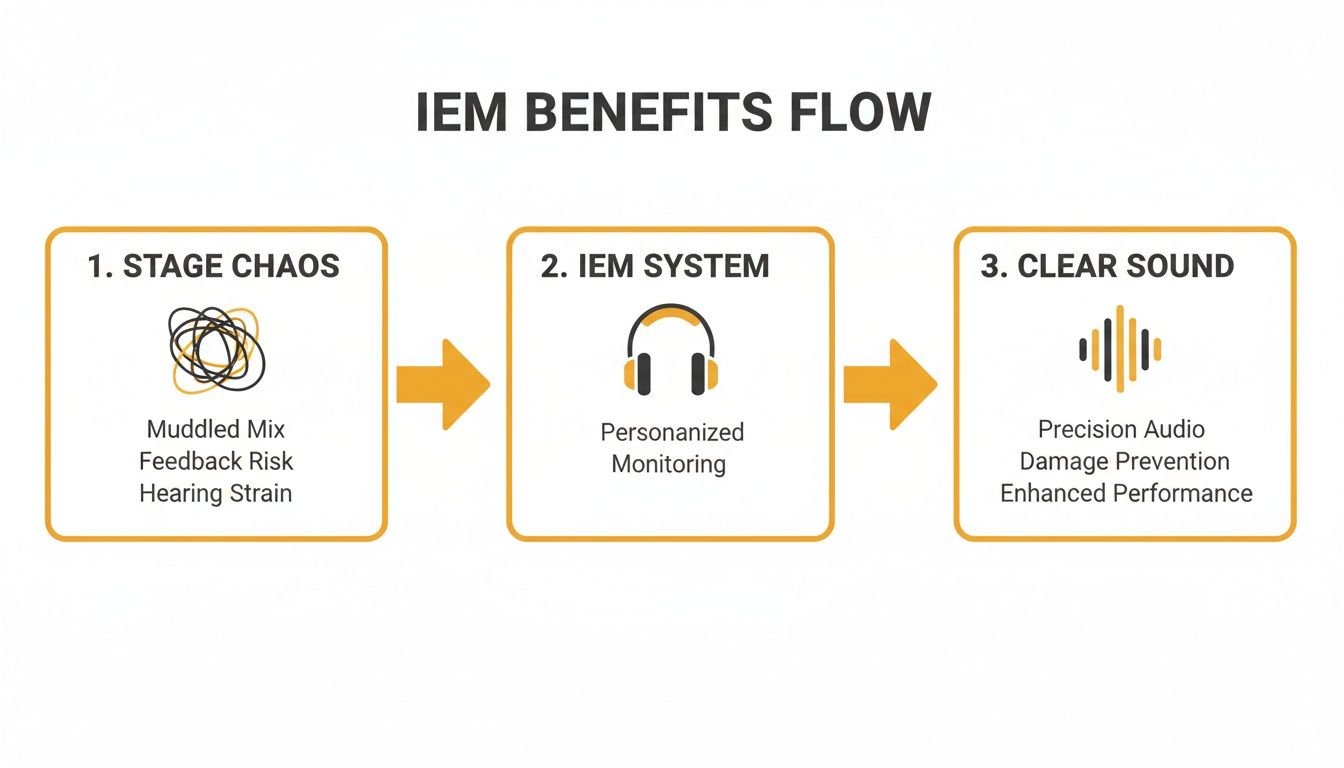
It perfectly captures the core benefit of IEMs: moving from an unpredictable sound environment to one of personal clarity and precision.
A Real-World Example
Let's imagine a five-piece church band. The lead vocalist, drummer, and keyboard player all have different needs to perform at their best.
- The Vocalist's Mix: The singer needs to hear their voice clearly above everything else to nail their pitch and dynamics. Their mix might be 70% vocals, 15% keyboard, and 15% acoustic guitar.
- The Drummer's Mix: The drummer is the heartbeat of the band. They need a punchy mix of the kick drum and bass guitar, plus a click track to keep everyone locked in time.
- The Keyboardist's Mix: To hear the full, rich sound of their instrument, the keyboard player needs a stereo mix of their keys, along with cues from the lead singer and the bass.
Each of these completely different mixes is created on the console, sent to its own dedicated transmitter/receiver pair, and delivered to the right musician. This level of control is exactly why the global in-ear monitoring market hit USD 0.845 billion in 2023.
This massive growth is all about musicians, churches, and venues demanding better audio control. You can dig into more data on this trend in this comprehensive market report. This technology makes a real, tangible difference, turning messy stages into tight, professional environments.
Choosing Your Setup: Wired vs. Wireless IEMs
One of the very first decisions you’ll make is a big one: do you go with wired or wireless in-ear monitors? This choice hits three key areas—your budget, your audio quality, and how much freedom your performers have on stage.
There isn't a single "best" answer here. The right choice depends entirely on who is using the system and what their role is. Let's break down the real-world pros and cons so you can make a smart, confident decision for your team.
The Case for Wired IEM Systems
For stationary performers, a wired IEM system is your most reliable, highest-fidelity, and most affordable option. By using a physical cable, you completely eliminate the risk of radio interference, signal dropouts, or audio lag.
Practical Use Case: A drummer in a worship band needs a flawless mix of their click track and the bass guitar to hold down the rhythm. A wired IEM pack, connected directly to a headphone amplifier, guarantees a zero-latency signal that will never drop out mid-song. This rock-solid reliability is why wired setups are the professional choice for anyone who doesn't roam the stage:
- Drummers: Locked in behind the kit, they get a bulletproof, zero-latency mix.
- Keyboard Players: Tucked behind their rig, a keyboardist gets pristine audio and saves the team money.
- Orchestra Members: In a pit or symphonic setup, audio purity is everything.
The setup couldn’t be more straightforward. A headphone cable runs from your mixer or a dedicated headphone amp to a small beltpack, and the musician plugs their earphones into that. It’s a direct, robust, and incredibly clear signal path, perfect for performers who need absolute consistency.
The Freedom of Wireless IEM Systems
For your frontline performers, being tied down by a cable just isn't going to work. This is where wireless IEM systems are essential, giving your most dynamic people total freedom to move, engage the audience, and own the stage.
Practical Use Case: A lead singer or pastor needs to connect with the audience across the entire stage, not be tethered to one spot. A wireless IEM system gives them complete mobility, allowing for a much more expressive and engaging performance. This is why it's the professional standard for anyone at the front of the stage.
Of course, that freedom comes with a couple of trade-offs. Wireless systems cost more and require more management.
The biggest challenge with wireless is frequency coordination. You have to find and set clear radio channels for each wireless pack to avoid interference from other wireless mics, instruments, or even local TV stations. Modern systems have scanning features that make this much easier, but it's a non-negotiable step for a clean, dropout-free performance.
To help you see the differences side-by-side, here is a quick comparison.
Wired vs Wireless IEMs At a Glance
| Feature | Wired IEMs | Wireless IEMs |
|---|---|---|
| Mobility | Limited by cable length | Complete freedom of movement |
| Audio Quality | Excellent, lossless signal | Very good, with potential for compression |
| Reliability | Rock-solid, no dropouts | Prone to RF interference if not managed |
| Latency | Zero | Minimal, but present (2-6ms) |
| Cost | Most affordable option | Significantly more expensive |
| Setup | Plug-and-play | Requires frequency scanning and coordination |
| Best For | Drummers, keyboardists, pit musicians | Singers, guitarists, worship leaders |
As you can see, the choice comes down to balancing freedom with budget and simplicity.
The Smartest Solution: A Hybrid Approach
For most churches, schools, and bands I work with, the best and most budget-friendly solution isn't an "either/or" choice—it's using both. A hybrid setup lets you put your money and technology where it will make the biggest difference.
Let's look at a typical worship team: a lead singer, two background vocalists, a guitarist, a bassist, a keyboardist, and a drummer. Here’s how you could set them up for a perfect blend of performance and value:
- Lead Singer & Guitarist (Wireless): These are your most mobile performers. Give them the freedom of wireless so they can lead and engage without restriction.
- Background Vocalists (Wireless): Keeping them wireless gives them the flexibility to move and interact with the band and the lead vocalist.
- Keyboardist & Drummer (Wired): These musicians are stationary. A wired pack gives them a flawless, zero-latency mix while saving a huge chunk of your budget.
This hybrid model gives your key performers the freedom they need while being smart with your money. You get the best of both worlds without compromising where it counts.
The market actually backs this up. Industry analysis shows that wired IEMs are projected to hold 55.1% of the market in 2025, precisely because they're prized for their incredible audio fidelity and zero-latency performance. You can read more on these trends in this in-depth IEM report.
Ultimately, by looking at each performer’s role on stage, you can build a system that empowers everyone to sound their best.
Key Features That Determine IEM Quality
When you start comparing in-ear monitor systems, the spec sheets can feel like a foreign language. Jargon like "UHF," "latency," and "signal-to-noise ratio" might seem confusing, but these are the exact features that separate a clear, reliable performance from a night of frustration. Understanding what they actually mean on stage is the key to making a smart investment.
Let's translate this tech-speak into real-world benefits. This knowledge will give you the confidence to look at a product from brands like Shure or Sennheiser on John Soto Music and know precisely how it will perform for your team.
The Importance of Frequency Band
When you buy a wireless IEM system, you’re essentially buying a tiny, personal radio station. The frequency band is the block of airwaves your system uses to broadcast its signal, and it's one of the most critical specs for reliability.
- VHF (Very High Frequency): You'll find this on older, less expensive systems. The problem is, this band is incredibly crowded with all sorts of consumer devices. This makes it far more prone to interference and signal dropouts—a huge risk for any important performance.
- UHF (Ultra High Frequency): This is the professional standard, hands down. UHF offers a much wider and clearer range of available frequencies, which dramatically lowers the risk of getting stepped on by other wireless gear, especially in cities or venues packed with electronics.
Practical Use Case: Imagine your church is located near a busy urban area. A UHF system allows your sound tech to scan the airwaves and find a clean, open frequency, avoiding interference from local TV broadcasts or the wireless mics at a neighboring venue. This ensures your worship leader's mix stays crystal clear and dropout-free through the entire service. For any serious application, a UHF band system is a must-have for peace of mind.
Latency: The Enemy of Timing
Latency is the tiny delay between when a sound is made and when you actually hear it in your ears. For most everyday audio, a few milliseconds (ms) of delay is no big deal. But for a musician trying to stay in time, it can be a complete disaster.
Practical Use Case: A drummer playing to a click track needs that timing cue to be perfectly in sync with their movements. High latency (anything over 10ms) creates a disorienting 'slapback' effect that makes it nearly impossible to lock into the groove. By choosing a low-latency wireless system or a zero-latency wired pack, the drummer hears the click the instant it's supposed to happen, ensuring the entire band stays tight.
A low latency number is absolutely critical for a natural and accurate performance. Professional wireless IEM systems aim for latency below 5 milliseconds (ms), which is virtually imperceptible. A wired IEM system, by its very nature, has zero latency.
If you're a vocalist or guitarist who needs wireless freedom, look for systems that proudly advertise their low-latency performance. It’s a direct investment in your timing and confidence.
Signal-to-Noise Ratio for Clean Audio
Have you ever turned on a piece of audio gear and heard that faint but constant "hiss" in the background, even when nothing is playing? That’s the noise floor. The Signal-to-Noise Ratio (SNR), measured in decibels (dB), tells you how loud your audio signal is compared to that unwanted background noise.
A higher SNR number simply means a cleaner, clearer, and more hiss-free sound.
- An SNR of 80 dB is acceptable for very basic use.
- A professional-grade IEM system will have an SNR of 90 dB or higher.
Practical Use Case: A vocalist needs to hear the subtle details in their performance—the breath control, the slight vibrato, the reverb tail. A system with a high SNR delivers their voice with pristine clarity, free from distracting hiss. This allows them to focus entirely on their delivery without fighting against background noise, leading to a more nuanced and powerful performance.
Universal vs. Custom-Molded Earphones
The earphones themselves are the final, critical piece of your in-ear monitor system. Your choice here really comes down to a balance of isolation, comfort, and budget.
Universal-fit earphones come with a variety of interchangeable silicone or foam tips to help you get a decent seal in your ear canal. They are much more affordable, can be shared among team members (with fresh tips, of course), and offer very good sound quality. Brands like Westone and Shure make excellent universal models that serve many performers extremely well.
Custom-molded earphones, on the other hand, are created from a literal impression of your ear canal taken by an audiologist. They offer a perfect, glove-like fit. This provides maximum comfort and the best possible noise isolation—often reducing outside stage volume by 20 dB or more. This incredible isolation means you can listen at lower, safer volumes and still hear your mix with stunning clarity. While they are a significant investment, musicians who make the switch rarely go back.
This growing preference for superior fit and quality is a major reason why the in-ear monitor market is projected to grow from USD 393.57 million in 2024 to USD 663.55 million by 2034. You can dig deeper into this trend and the factors driving it in this detailed market research report.
Building Your IEM Rig: From Solo Gigs to Full Tours
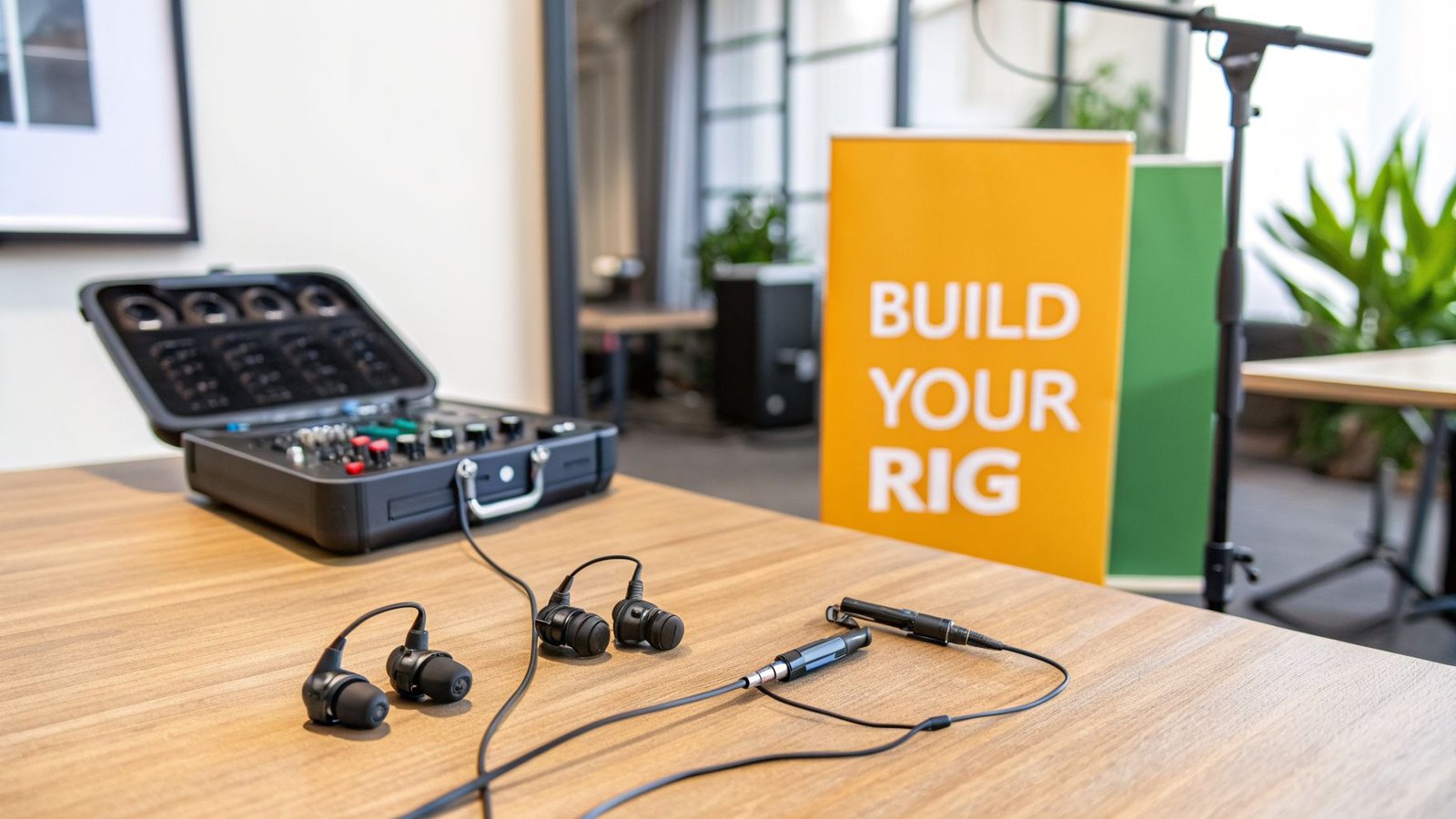
Alright, we’ve talked about how IEMs work and what all the specs mean. Now for the fun part: let’s put that knowledge to work and build some real-world rigs. Finding the right in-ear monitor system isn't about buying the most expensive gear; it's about matching the right tools to your actual needs and budget.
To make it simple, I’m going to lay out three common setups. We’ll start with a dead-simple rig for a solo artist and scale all the way up to a professional touring package. You'll see exactly how the pieces fit together to create a reliable system you can count on.
The Solo Artist Rig
If you're a singer-songwriter, part of an acoustic duo, or any musician working with a tight budget, a good wired IEM setup is a total game-changer. This approach gives you crystal-clear, zero-latency audio that will completely transform your practice sessions and small venue gigs—without emptying your wallet. The whole point of this rig is simplicity and reliability.
How to Use It:
Picture this: you’re a vocalist and guitarist playing at a local coffee shop. The sound tech gives you a monitor feed from the house mixer. You plug that line into a compact headphone amp like a Behringer Powerplay P1, clip it to your belt, plug in your earphones, and you’re done. You get a direct, clean mix, completely isolated from room chatter and stage noise. Now you can hear your voice and guitar with perfect clarity, no matter how noisy the venue is.
Recommended Gear for This Rig:
- Earphones: A solid set of universal IEMs like the Shure SE215 gives you great sound isolation and is built to last, all at a price that makes sense.
- Headphone Amp: The Behringer Powerplay P1 is a road-tested favorite. It’s simple, tough, and has plenty of power to drive your earphones.
- Cables: You’ll need one long, dependable XLR or TRS cable to run from the main mixer to your personal headphone amp.
This simple wired rig is the most affordable way to step into the world of in-ear monitoring. It's a massive upgrade in clarity and consistency compared to using floor wedges.
The Worship Team Rig
Modern worship teams often have a mix of needs. Your frontline vocalists and worship leader need freedom to move, while the band members are usually stationary. This is where a hybrid system—combining wireless for some and wired for others—is the perfect solution. It lets you put your money where it counts most while still giving everyone a great mix.
How to Use It:
Your sound engineer creates individual monitor mixes on a digital mixer, like an Allen & Heath Qu-24. The wireless mixes for the vocalists are sent to transmitters (like the Shure PSM series) in a rack backstage. The wired mixes for the stationary musicians are sent to a multi-channel headphone amp, with cables running to each player's station. This has become the most common and effective setup I see in churches today.
By using a hybrid approach, you can equip a 6-person band with high-quality monitoring for the price of just a few professional wireless systems. This strategy puts the tech where it has the most impact—on your most mobile performers.
You can get everything from the mixer to the IEMs from a dedicated pro audio dealer like John Soto Music.
Recommended Gear for This Rig:
- Wireless System (for mobile performers): The Shure PSM 300 series strikes a fantastic balance between pro features, reliable UHF performance, and a price point that’s manageable for most churches.
- Wired System (for stationary musicians): A rack-mounted headphone amp like the Behringer HA8000V2 is a workhorse that can feed up to eight separate wired mixes.
- Earphones: You could use Shure SE215s for the whole band, or give your lead vocalists an upgrade to a multi-driver model like the Westone Audio Pro X series for even better sonic detail.
The Pro Touring Rig
For touring bands, large-scale productions, or any venue where the airwaves are crowded with wireless signals, only a fully scalable, multi-channel wireless system will do. This is a professional-grade rig built for one thing: flawless performance, night after night. It’s all about rock-solid frequency coordination and road-worthy durability.
How to Use It:
On a professional tour, a dedicated monitor engineer is in charge of all the IEM mixes from a separate console. All the wireless transmitters live in a single rack, fed into an antenna combiner and connected to a directional antenna to guarantee the strongest possible signal with minimal interference. Before every single show, the engineer uses software to scan the local RF environment, finding and assigning clean frequencies to every wireless device on stage. This level of control is absolutely critical in arenas and at festivals, where there might be hundreds of other wireless systems operating at the same time.
Brands like Sennheiser and Shure are the kings of this domain, with entire ecosystems built for the demands of the road.
Recommended Gear for This Rig:
- Wireless System: The Sennheiser evolution wireless G4 (EW G4) IEM system is a global industry standard, known for its tough build and fantastic audio quality. For the absolute top tier, the Shure PSM 1000 offers dual-channel transmitters and advanced networking for the most demanding tours.
- Antenna Management: An antenna combiner (like the Shure PA821B) and a directional "paddle" antenna (like the Shure HA-8089) are non-negotiable for cleanly managing multiple wireless systems.
- Earphones: Custom-molded IEMs from brands like Ultimate Ears or Jerry Harvey Audio are the standard for touring pros. They offer the best possible sound isolation, comfort, and audio fidelity, period.
Common Questions About In Ear Monitors
Even after you understand the nuts and bolts of how IEM systems work, a few practical questions almost always come up. That’s completely normal. This is a big investment in your sound, and you want to get it right the first time.
Let's dive into the most common questions we hear from musicians and tech directors. Our goal is to give you straightforward, real-world answers to clear up any final doubts, so you can choose the right system with total confidence.
Can I Just Use My Regular Earbuds?
While you can technically plug a pair of consumer earbuds into a bodypack receiver, it’s a terrible idea for live performance. They simply don’t provide the noise isolation you need on a loud stage.
Because they don't seal out the sound of drums, amps, and the room, you’ll be forced to crank the volume to dangerous levels just to hear yourself. This not only puts your hearing at serious risk but also gives you a muddy, unclear mix that defeats the whole point of using in-ears.
Professional in-ear monitors are designed specifically to create a seal in your ear canal. This is the magic trick—it blocks a huge amount of outside noise, which lets you listen to your mix at a safe, low volume with incredible detail.
Don't skip this step. Investing in proper IEMs is non-negotiable for protecting your hearing and actually improving your performance.
How Many Different Mixes Can I Create?
This is a fantastic question, and the answer comes from your mixing console, not your IEM transmitters. A wireless transmitter can only broadcast one mix at a time (either mono or stereo).
So, if you need five separate monitor mixes for five different musicians, your mixer needs at least five separate auxiliary (AUX) outputs. Each AUX output is used to build a unique mix for one person. That mix is then sent to its own dedicated IEM transmitter, which operates on its own unique frequency.
Practical Example:
A digital mixer like the Allen & Heath Qu-16 is perfect for this. It has multiple mix outputs, making it easy to create and send individual monitor mixes to every member of your worship team or band. Everyone gets to hear exactly what they need.
Is Setting Up a Wireless IEM System Difficult?
For a single, basic system, the setup is surprisingly simple. Most modern wireless units from reputable brands feature a "scan and sync" function that does all the heavy lifting.
How to Use It: Simply turn on your transmitter and press the "scan" button. It will automatically find the cleanest open frequency in the room. Then, hold your bodypack receiver near the transmitter's IR (infrared) window and press "sync." The two devices will lock onto the same frequency in seconds. It really is that easy for a single unit.
The real challenge comes when you start running multiple wireless systems at the same time—for mics, instruments, and in-ears. This is a process called frequency coordination, and it requires some careful planning to make sure your devices don't interfere with each other.
Should I Use a Stereo or Mono Mix?
This choice makes a huge difference in how your monitor mix feels and sounds.
- Mono Mix: A mono mix sends the exact same audio signal to both of your ears. It’s simple, it works, and it uses fewer resources on your mixing board.
- Stereo Mix: A stereo mix sends separate left and right signals, which allows you to pan instruments around in your head.
Practical Use Case: With a stereo mix, a singer could ask the sound tech to pan the lead guitar a little to their left ear and the keyboard a little to their right. This separation creates a sense of space that makes it much easier to pick out individual parts in a busy song, just like listening to a studio album on headphones.
While mono is perfectly functional, almost every musician who tries a well-configured stereo mix says it feels more natural and drastically improves their ability to hear everything with precision.
Ready to find the perfect IEM solution for your team? At John Soto Music, we specialize in helping churches, schools, and performers build reliable, great-sounding systems. Our experts can help you select the exact components you need to achieve professional results. Explore our curated selection of the best in ear monitor systems today.