

An in-ear monitor system is what separates the polished, tight-sounding live acts from the garage bands still fighting the volume war. It’s the single best upgrade a serious band can make, replacing loud, muddy floor wedges with a crystal-clear personal mix for every musician on stage.
This isn't just about sounding better—it's about protecting your hearing, tightening up your performance, and ultimately, putting on a much better show for your audience. Investing in a quality IEM system is investing in your band's future, and this guide will show you exactly how to do it right.
Why Your Band Needs In-Ear Monitors
Ever tried to have a real conversation at a deafeningly loud concert? You’re all shouting, leaning in, and still only catching about half of what’s being said. That’s exactly what it feels like to play on stage with traditional floor wedges—a chaotic battle of volume that leaves your ears ringing and your performance sloppy.
Now, imagine everyone in that conversation had a crystal-clear phone call with each other, with no background noise. That's the leap you make when you switch to an in-ear monitor system for your band.
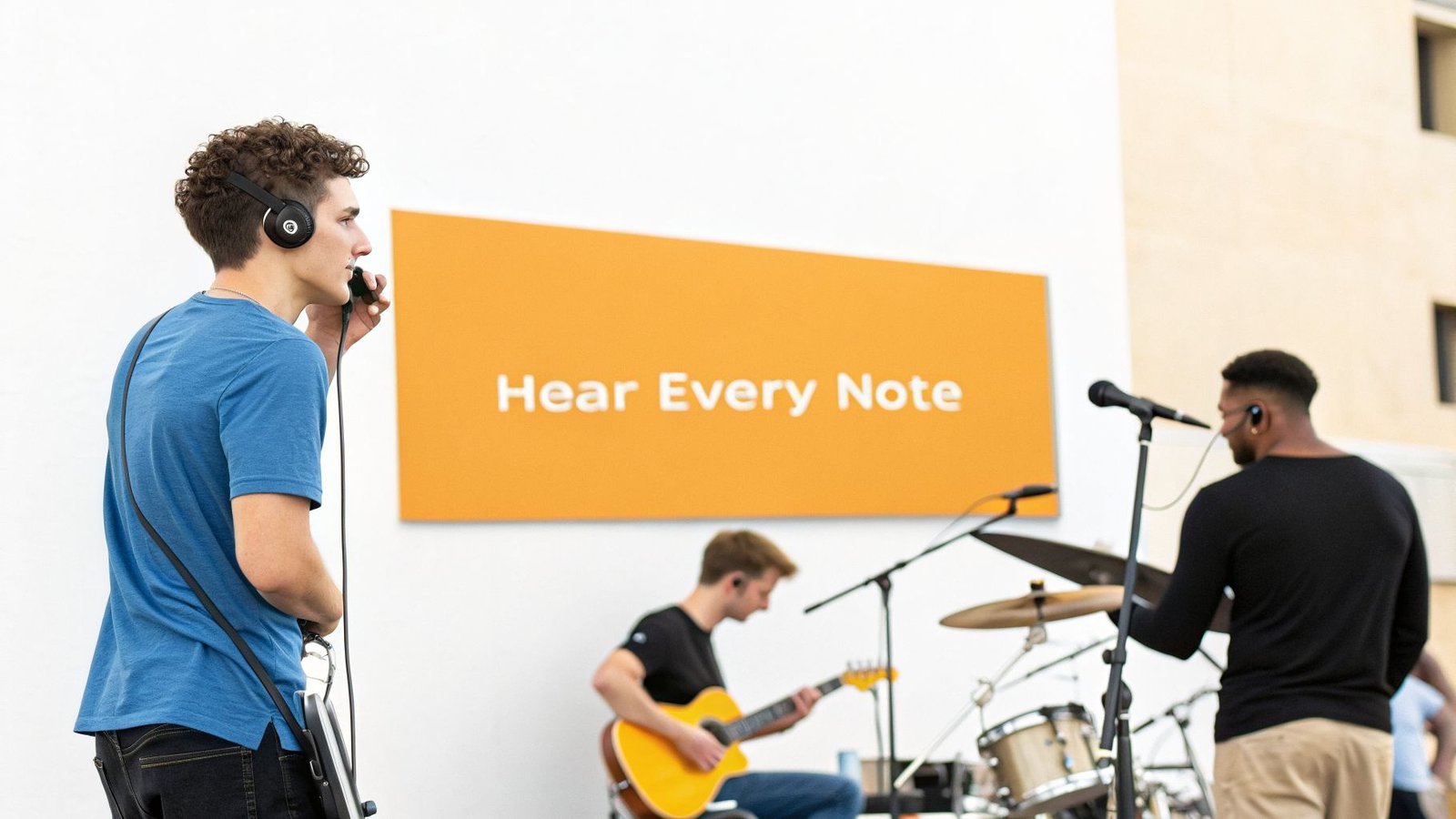
This isn't a minor tweak. It's a fundamental change in how your band operates, and the benefits are massive and immediate.
Protect Your Most Valuable Asset: Your Ears
Stage volume isn't just loud; it's dangerous. The constant blast from floor wedges, cymbals, and guitar amps can easily top safe listening levels, causing permanent hearing damage and tinnitus. I’ve seen too many great musicians lose their careers this way.
An IEM system is your best defense. The earbuds physically seal your ear canal, blocking out the overwhelming stage noise.
This isolation means you can listen to your personal mix at a much lower, safer volume. You’re no longer fighting the drummer’s cymbals to hear your own vocals. This whole technology was born from this exact problem.
Back in 1995, Van Halen's monitor engineer, Jerry Harvey, designed the first multi-driver IEMs for drummer Alex Van Halen. Alex was in pain from stage volumes hitting a staggering 130 dB. Those new IEMs, which isolated sound by up to 30 dB more than wedges, became the foundation of modern professional monitoring.
Studies back this up, showing IEMs can slash onstage sound pressure levels by 10-25 dB. That translates to a more than 60% reduction in the risk of hearing damage compared to using wedges. You can read more about how this critical gear came to be in this in-depth article on IEM history.
Dramatically Improve Your Band's Performance
It’s a simple truth: when you can hear every detail with perfect clarity, you play better. An in-ear monitor system delivers a clean, consistent mix directly to your ears—night after night, no matter how terrible the room acoustics are.
Here’s what happens when you make the switch:
- A Rock-Solid Rhythm Section: The drummer and bassist can finally hear each other perfectly, locking into a groove that the whole band can feel. No more guessing games.
- Pitch-Perfect Vocals: Singers can hear their own pitch with stunning accuracy, leading to more confident and in-tune performances. This alone is a game-changer.
- Subtlety and Dynamics Return: When you aren’t constantly fighting to be heard, you can actually play with nuance. The soft, dynamic parts of your music that used to get buried in the noise can finally shine through.
A Cleaner, Punchier Sound for the Audience
Here's the secret benefit most bands don't think about: a quiet stage makes the front-of-house (FOH) mix sound a thousand times better.
When you kill the floor wedges, you remove a huge source of noise bleed and potential feedback from the stage. Your sound engineer is no longer trying to mix your band plus a bunch of competing stage monitors.
This gives the FOH engineer a clean canvas to work with, resulting in a clearer, more defined, and more powerful mix for the people who bought tickets. A quiet stage is a professional stage. It’s why you see virtually every major touring act using an in-ear monitor system for band setups. Investing in one is a clear sign that you're serious about your craft and ready to deliver a top-tier show.
The Core Components of Your IEM System
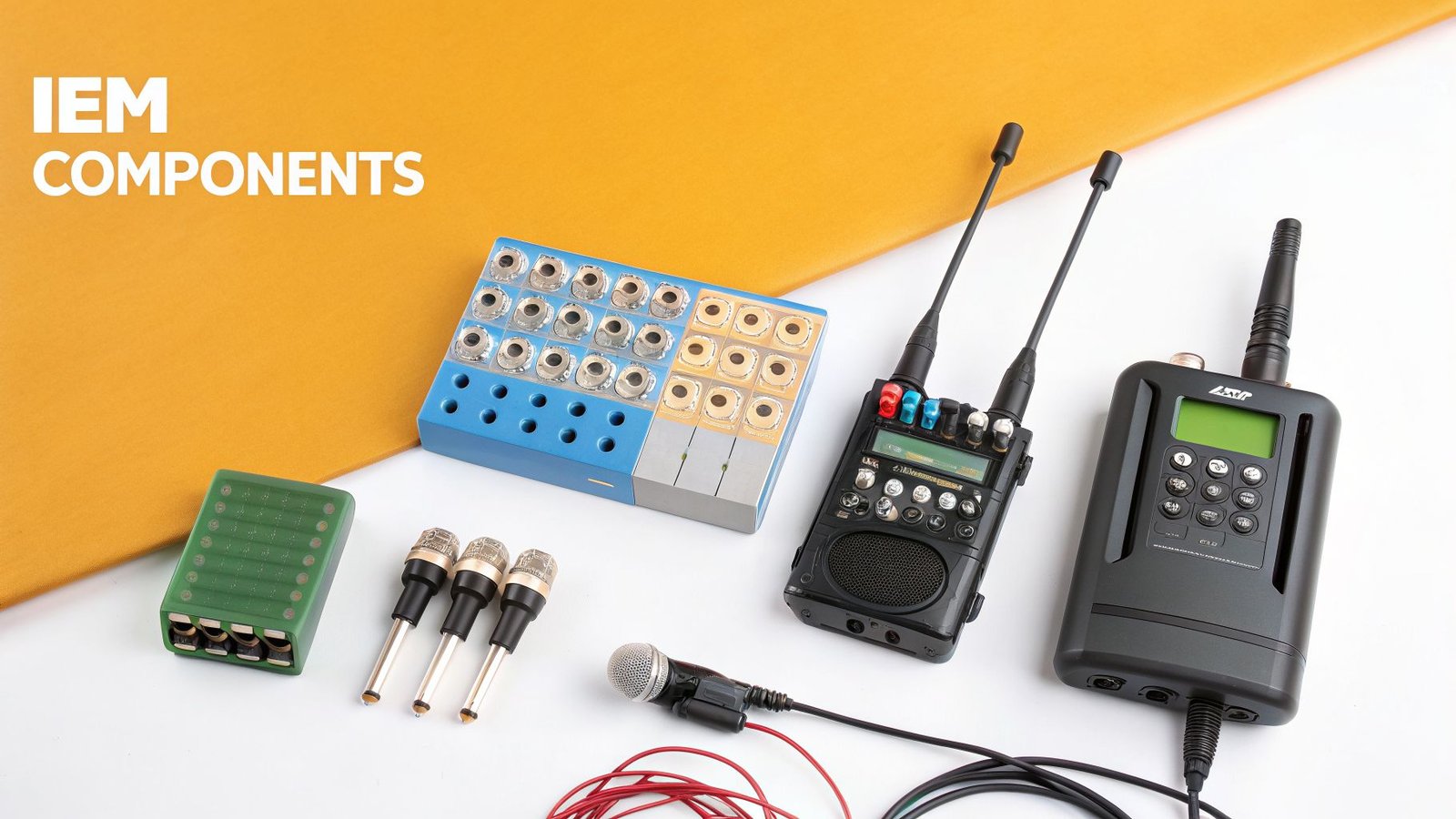
Building a solid in-ear monitor system for your band really comes down to understanding its main parts. Once you see how the four key pieces fit together, the whole setup makes a lot more sense. These components work together to get your personal mix from the soundboard and deliver it straight to your ears.
It's a simple, logical signal path. Your sound mixer creates a specific audio feed (an aux mix) and sends it to a transmitter. That transmitter then shoots the signal wirelessly to a receiver worn by the musician, and finally, the earphones plugged into that receiver bring the sound home.
The Transmitter: Your Band's Private Radio Station
The transmitter is the engine of your wireless IEM system. Its one job is to grab the monitor mix from your sound console, turn it into a radio signal, and broadcast it over the air. Think of it as your band’s own personal, tiny radio station.
Every transmitter gets its own specific frequency. This is crucial—if you have more than one monitor mix, each one needs its own transmitter on its own frequency to keep things from turning into a chaotic mess. For instance, the singer’s vocal-heavy mix on channel 1 uses one transmitter, while the drummer's rhythm-heavy mix on channel 2 uses a completely different one.
Most modern transmitters, like what you’d find in the Shure PSM 300 system, are half-rack units. This makes them easy to mount in a rack for touring or just set on a table for smaller gigs. They take a line-level signal from your mixer's aux outputs and do the hard work of sending it cleanly across the stage.
The Bodypack Receiver: Your Personal Radio
If the transmitter is the radio station, the bodypack receiver is your personal, go-anywhere radio. This little pack clips onto your belt, pocket, or guitar strap, and its job is to tune into the specific frequency your transmitter is broadcasting.
Once it locks on, it turns those radio waves back into an audio signal you can actually hear. On the pack, you'll find two critical things: a headphone jack for your earphones and a volume knob. That volume knob is your best friend on stage, letting you adjust the overall level of your mix without needing to flag down the sound engineer.
Practical Example: A guitarist using a Shure P3R bodypack can crank their mix during a loud solo to hear every note, then pull it back during a quiet part of the song, giving them instant control over their performance environment.
Pro Tip: Always, always start with the volume on your bodypack turned completely down. Get the sound engineer to send signal to your mix, then slowly bring the volume up to a safe, comfortable level. This simple habit will save your hearing by preventing sudden, painful blasts of sound.
Earphones: High-Fidelity Speakers for Your Head
The earphones are the final, and arguably most personal, piece of the puzzle. These are much more than the earbuds that came with your phone; they are high-fidelity, noise-isolating tools designed for professional audio. They plug right into your bodypack receiver and deliver the final product to your ears.
You'll generally find two types of IEM earphones:
- Universal-Fit: These come with a bunch of different silicone and foam tips so you can find a size that creates a good seal in your ear canal. They’re a fantastic and affordable way to get started.
- Custom-Molded: For the absolute best comfort and isolation, nothing beats custom molds. An audiologist makes an impression of your ear canals, and the earphones are built to fit you perfectly. This creates an incredible seal that improves bass response and blocks out way more stage noise.
Many professional earphones also have multiple drivers, which are basically tiny, specialized speakers inside each earbud. A multi-driver earphone, like the UE 5 Pro, uses separate drivers for lows, mids, and highs. This division of labor results in amazing clarity, making it much easier to pick out your own instrument or voice in a dense mix.
The Mixer: The Command Center
While it isn't usually sold inside an IEM kit, the mixer is the true command center that makes personal monitoring work in the first place. Whether it's a giant front-of-house console or a small rack unit, the mixer is what gathers all the inputs from the stage—mics, instruments, tracks—and lets you create those individual monitor mixes.
Each personal mix is built using an auxiliary (aux) send. By turning up the right channels on Aux Send 1, the sound tech creates a custom mix just for the singer. Then, using Aux Send 2, they can build a completely different mix for the drummer. Those aux outputs on the back of the mixer are then plugged straight into your IEM transmitters, completing the chain.
For modern, streamlined setups, many bands are turning to digital mixers like the Allen & Heath CQ series, which are perfect for managing multiple IEM sends and can even let musicians control their own mixes from their phones. These mixers are the key to unlocking the full potential of your IEM system, making them a smart investment for any serious band.
Wired vs. Wireless: Choosing the Right IEM System for Your Band
Alright, let's get these in-ear monitors sorted out. Once you decide to upgrade your band's stage sound, the first big fork in the road is choosing between wired and wireless systems. This really comes down to a classic trade-off: freedom of movement versus rock-solid reliability and cost.
There isn't a single "right" answer for the whole band. A dynamic lead singer who covers every inch of the stage has totally different needs than a drummer who's locked in the pocket all night. The key is understanding these differences so you can build a smart, cost-effective IEM system that gives every musician exactly what they need.
The Rock-Solid Reliability of Wired IEMs
For any musician who stays in one spot, a wired IEM setup is the most reliable and affordable choice you can make. Period. It completely sidesteps any issues with radio frequency (RF) interference, signal dropouts, or the dreaded mid-song battery death. This makes it the perfect solution for drummers, keyboard players, and horn sections.
The setup couldn't be simpler. You just run a long headphone extension cable from a small headphone amplifier to your earphones. Because there’s no wireless signal to get scrambled, the audio is perfectly clean, with zero latency and no chance of it cutting out.
Practical Example: A Drummer's Perfect Mix
Let's say you're the drummer. You need the click track and the bass player to be glued to your ears with absolute clarity. Here's how a wired setup works for you:
- Your personal monitor mix gets sent from an aux output on the main soundboard via a standard XLR cable.
- That cable plugs into a small, belt-pack headphone amp like the Behringer Powerplay P2. These things are incredibly affordable and can run on batteries or a small power supply.
- You clip the P2 to your drum throne or waistband, plug your in-ears into its headphone jack, and use the volume knob to set your level.
That’s all there is to it. You get a flawless, dropout-free mix for every single show, all for a tiny fraction of what a wireless system would cost. The same logic applies perfectly to a keyboardist surrounded by their rig or backing vocalists who hold their position on stage.
The Freedom of Wireless Systems
Now, for the performers who own the stage—we're talking about lead singers, energetic guitarists, and anyone else who needs to move—a wireless in ear monitor system for band use is non-negotiable. It cuts the last physical tether tying you to one spot, giving you total freedom to engage with the crowd and your bandmates.
Wireless systems work by taking your monitor mix and broadcasting it from a transmitter (usually racked up near the mixer) to a bodypack receiver that you wear. This is the technology that lets you hear your mix perfectly whether you're at the front of the stage, out on a catwalk, or headbanging next to the drum riser.
Practical Example: A Church Worship Leader
Think about a worship leader who moves from playing keys at the back of the stage to leading the congregation from the front.
- The sound tech creates a custom monitor mix for the leader on an aux send from the mixer.
- This mix feeds a wireless transmitter, like a Shure PSM 300, which broadcasts the audio on a specific radio frequency.
- The worship leader wears the matching P3R bodypack receiver, clipped to a belt or tucked in a pocket, and can now move anywhere on stage without ever losing their personal monitor feed.
This freedom is what allows for a truly dynamic and engaging performance, which is exactly why wireless is the standard for anyone at the front of the stage.
Wired vs Wireless In Ear Monitor Systems at a Glance
Making the right call often means weighing these key factors for each person in the band. This table breaks down the two approaches side-by-side to help you decide what makes the most sense for your lineup.
| Feature | Wired IEM System | Wireless IEM System |
|---|---|---|
| Mobility | Limited to the length of your cable. Best for stationary musicians like drummers or keyboardists. | Complete freedom of movement on stage. Essential for dynamic lead vocalists and guitarists. |
| Reliability | 100% reliable. No risk of RF interference, signal dropouts, or latency issues. | Generally reliable, but susceptible to RF interference from other wireless gear, Wi-Fi, or venue conditions. |
| Cost | Very affordable. A high-quality headphone amp costs a fraction of even an entry-level wireless system. | Significantly more expensive. Costs can range from a few hundred to several thousand dollars per person. |
| Setup | Extremely simple. Plug in a cable from the mixer or stage box to your headphone amp. | Requires RF frequency coordination to find a clean channel and avoid interference with other wireless systems. |
| Best For | Drummers, keyboard players, backing vocalists, orchestral musicians, and anyone on a tight budget. | Lead singers, guitarists, bassists who move, worship leaders, and any performer needing stage mobility. |
Once you’ve looked at the pros and cons, you can see how a hybrid system is often the smartest way to go.
A popular hybrid approach for bands is to equip stationary members with affordable wired packs and invest in quality wireless systems only for the mobile performers. This strategy provides the best of both worlds, saving money without sacrificing performance freedom where it matters most.
How to Create the Perfect Personal Mix
Let's talk about the single biggest win you get from a proper in ear monitor system for a band: giving every musician their own perfect mix. The days of fighting over a shared floor wedge and telling the sound guy "I can't hear myself!" are over. With modern digital mixers, creating these custom "more me" mixes is a core function, all thanks to auxiliary (aux) sends.
Think of an aux send as a completely separate mini-mixing board living inside your main console. Each aux send takes all the same inputs—vocals, drums, guitars—but lets you create a unique blend just for one person. This is how your singer gets a vocal-drenched mix while the drummer gets a powerful kick and bass foundation, all happening at the same time.
The diagram below shows you how the signal gets from the mixer to the performer's ears in both wired and wireless setups. It’s the last step in the chain.
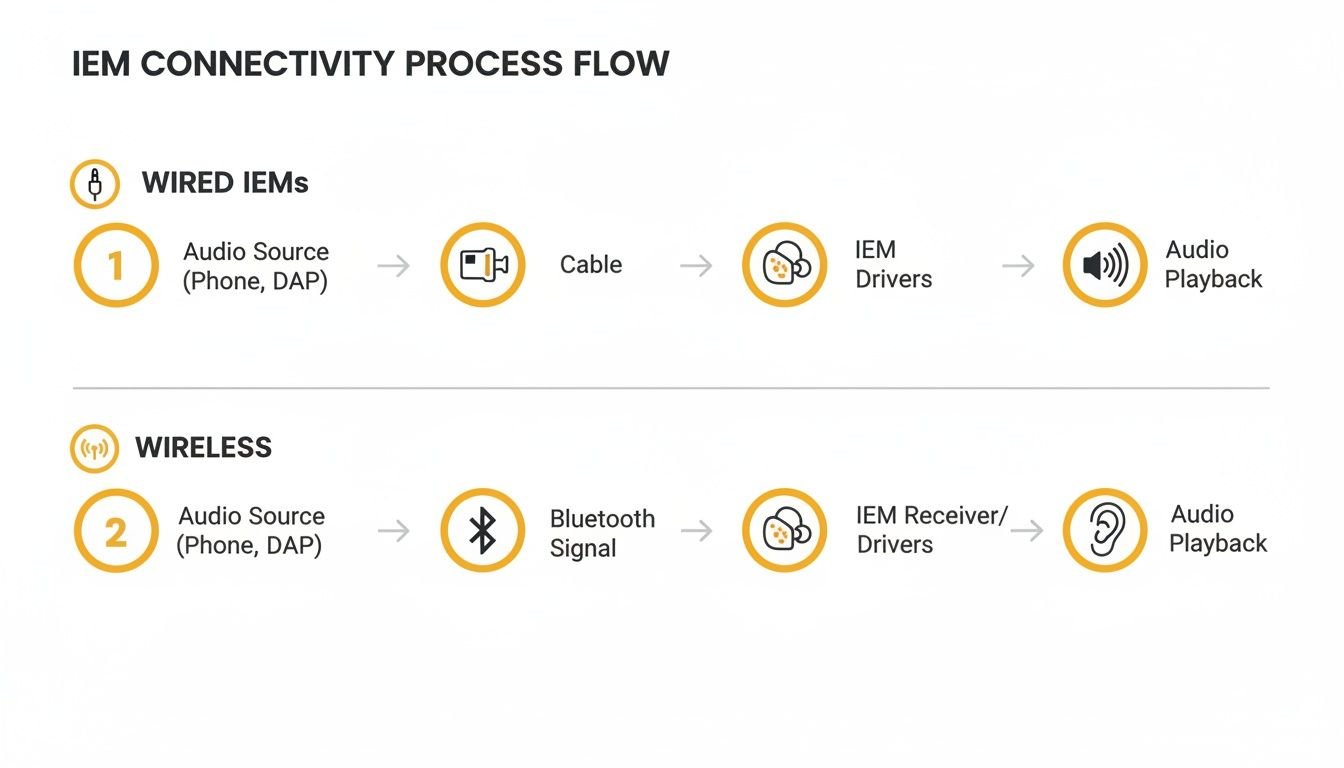
Whether the mix travels down a cable or flies through the air, this is how that personalized sound finally reaches the artist.
Building Mixes with Aux Sends
Let’s get practical. Say we’re using a workhorse digital mixer like the Allen & Heath Qu-16. This board has a bunch of physical outputs we can set up as aux sends, making it perfect for dialing in several distinct monitor mixes for your band.
Here’s a simple, effective setup for a four-piece band I'd recommend:
- Aux 1 (Lead Singer): For the vocalist, it's all about clarity. We'd push their own vocal channel way up, add a touch of reverb to give it space, and then blend in just enough kick, bass, and the main guitar or keys so they can lock in with the pitch and timing.
- Aux 2 (Drummer): Your drummer is the engine room, so their mix needs a rock-solid rhythmic foundation. This one would be heavy on the kick drum and bass guitar. We'd also add a click track (metronome) that only the drummer hears to keep the whole band tight.
- Aux 3 (Guitarist): The guitarist needs to hear their own tone clearly but also needs to lock in with the singer for harmonies and cues. Their mix would feature their guitar prominently, a strong feed of the lead vocal, and just enough bass and drums to feel the groove.
On a mixer like the Qu-16, a sound engineer can use the dedicated "sends on faders" mode. This instantly lets them grab the faders and adjust the levels for any musician's aux mix on the fly, crafting the perfect sonic world for each player.
Empowering the Band with Personal Mixing Apps
While a good sound engineer can get you 90% of the way there, the real magic happens when you give the musicians control. This is where personal mixing apps come in, and believe me, they are one of the best features of modern digital mixers.
Using a personal mixing app frees up your sound engineer to focus entirely on the main front-of-house sound—what the audience hears. It empowers your band, cuts down sound check time, and just makes the whole live show run smoother.
Apps like Allen & Heath’s Qu-You let any musician with a smartphone or tablet connect to the mixer's Wi-Fi. From there, they get a simple screen with faders for all the instruments and vocals.
If the singer needs a little more of her vocal in the second verse, she can just reach for her phone and turn it up. If the drummer feels the click is a bit too loud, he can pull it back instantly without having to get the engineer's attention. This isn't a luxury; it's a fundamental part of how a modern in ear monitor system for a band should work. It creates independence on stage and ensures every performer has exactly what they need to play their best.
Managing Frequencies for a Flawless Wireless Show
Going wireless with your in-ear monitor system for band performances means you're stepping into an invisible world of radio frequencies (RF). When you get it right, the show is perfect. But when you get it wrong, you’re setting yourself up for a long night of static, dropouts, and pure frustration. Knowing how to manage this invisible traffic is a non-negotiable skill for every single gig.
The airwaves are a crowded place. Your wireless gear isn't operating in a vacuum; it’s fighting for space with other wireless mics, the venue's Wi-Fi, local TV stations, and even those giant LED video walls. We call this RF interference, and it can absolutely destroy a performance if you aren't ready for it.
The good news is that any professional wireless system is built to navigate this chaos. These systems don't just sit on one channel. They operate across a whole range of frequencies, letting you find a clean, open lane for your audio to travel through.
Finding Your Clean Channel
This is the single most important thing you’ll do before a show: scan for open frequencies. It doesn't matter if you're using a Shure PSM 300 or a top-tier Sennheiser system—they all have a built-in frequency scanner. This isn't an optional step; it's a mandatory part of your setup routine.
Here’s how simple it is:
- Turn Off All Your Transmitters: Before you do anything, make sure every single one of your wireless transmitters is off. That includes IEMs, mics, and guitar packs. This ensures the scanner is only detecting outside interference, not your own gear.
- Run the Scan: Find the scan function on your IEM transmitter. The unit will analyze the entire RF spectrum in its range and pinpoint the quietest, most open channel available in that room, at that moment.
- Sync Your Receiver: Once the transmitter has its clean channel, you just need to sync your bodypack receiver to it. Most modern systems make this a breeze with a one-touch IR sync button.
Doing this at every venue guarantees you’re starting with the cleanest signal possible, steering clear of interference from the get-go.
A Quick Word on Latency
Another huge factor in how a wireless system feels is latency. This is the tiny delay between when a note is played and when the musician actually hears it in their ears. If latency is too high, it can be incredibly disorienting, making it feel like you're playing just behind the beat.
Professional digital wireless systems are engineered for imperceptibly low latency, typically under 4 milliseconds. This delay is so small that the human brain can't even detect it, which is what keeps your performance feeling tight and natural.
This is a massive reason why investing in a quality wireless in-ear monitor system for a band is so critical. Cheaper, consumer-grade gear often has much higher latency that can seriously throw off a musician's timing and confidence.
The quest for this wireless freedom has a pretty cool history. Back in the late 1980s, Stevie Wonder’s sound engineer, Chrys Lindop, built a custom 5-watt IEM transmitter that was so powerful it could broadcast clear across London. After dialing it back to stay on the right side of the law, he and Martin Noah created the first commercial system, finally letting artists like Michael Bolton roam the stage without being tethered by cables. You can read more about the birth of wireless IEMs in this detailed historical account.
Pre-Show Wireless Checklist
Confidence on stage starts with trusting your gear. Run through this quick checklist before every show to ensure everything runs smoothly, without a single dropout.
- Fresh Batteries: Always, always start with fresh, high-quality batteries in your bodypack receivers. Don't risk a power failure mid-song just to save a few pennies.
- Run a Frequency Scan: Every. Single. Time. A channel that was perfectly clear at last night's venue could be a wall of static at tonight's.
- Antenna Placement: Make sure your transmitter antennas have a clear line of sight to the stage. Don't bury them in the back of a metal rack where the signal will get trapped.
- Check Your Volume: Start with your bodypack volume turned all the way down. Then, slowly bring it up to a comfortable level. This is key for protecting your hearing from any unexpected signal spikes or feedback.
Common In-Ear Monitor System Questions
Switching your band or worship team to in-ear monitors is a game-changer, but it almost always comes with a few hurdles. After years of helping bands make this transition, we've heard just about every question in the book.
Here are the most common challenges you'll face, along with some practical, road-tested answers.
Why Does My In-Ear Mix Sound Thin and Lack Bass?
This is, without a doubt, the number one complaint from anyone new to IEMs. The good news is the fix is usually simple: you don't have a good seal. Your earphones have to completely seal your ear canal to reproduce low-end frequencies properly.
If there’s even a tiny gap, all that punch and warmth from the bass and kick drum escapes, leaving your mix sounding thin, tinny, and weak.
How to Fix It:
Your IEMs came with a bag full of silicone and foam ear tips in different sizes. Don't just pick one and give up—you have to experiment.
- Try Every Size: Go through every single tip. It's very common to need a different size for your left and right ears.
- Give Foam a Shot: If silicone tips aren't creating a seal, try the compressible foam ones. Roll a tip tightly between your fingers, insert it into your ear, and hold it in place for about 20 seconds. The foam will expand and create a fantastic, custom-like fit.
If you’ve tried every tip in the box and still can't get that seal, the ultimate solution is a set of custom-molded earphones. They’re made from an impression of your ear canal, guaranteeing a perfect seal every single time. This unlocks the absolute best bass response and sound isolation possible.
Can Our Whole Band Share One Wireless Transmitter?
You can do this, technically. One transmitter can send a signal to multiple bodypack receivers. But there's a massive trade-off: everyone sharing that transmitter will hear the exact same mono mix.
This means no "more me" for the singer, no "less guitar" for the drummer. While it might seem like a way to save money, it completely defeats the purpose of personal monitoring.
A Smarter Compromise: A hybrid system is a much better strategy for bands on a budget. Give your mobile performers—like the lead singer and guitarists—their own dedicated wireless systems for custom mixes. For your stationary musicians, like the drummer and keyboard player, use much more affordable wired IEM packs. This saves a ton of cash while still giving every single person the mix they need to perform their best.
How Do I Protect My Hearing with IEMs?
This is a critical point. In-ears are far safer for your hearing than loud stage wedges, but only if you use them correctly. The magic of IEMs is their noise isolation—they block out the stage noise so you don't have to crank up the volume just to hear yourself.
The Golden Rule: Always, always, always start with the volume knob on your bodypack turned all the way down to zero. Once the sound engineer is sending signal to your ears, slowly raise the volume to the lowest possible level where you can hear everything clearly.
Your goal is clarity, not loudness. Making this a habit will protect your hearing for your entire career.
Ready to build the perfect IEM setup for your band? The pro audio experts at John Soto Music can help you choose the right wireless systems, digital mixers, and accessories to fit your stage and your budget. Explore our curated selection of live sound solutions at https://www.johnsotomusic.com and take the first step toward a more professional stage sound.