

Imagine needing a complete PA system that you can carry like a suitcase and set up in less time than it takes to brew a pot of coffee. That’s the simple, powerful promise of the Fender Passport series, and the Passport 150 Pro is a legend in this lineup.
Meet the Ultimate Grab-and-Go PA System
The Fender Passport 150 Pro became something of a legend for one simple reason: it perfectly blended portability with clear, dependable sound. In this guide, we'll break down why this little workhorse is still the right answer for so many people who just need to be heard without a ton of fuss. It's the perfect place to start if you're looking for real-world value in a compact package that empowers you to sound professional, instantly.
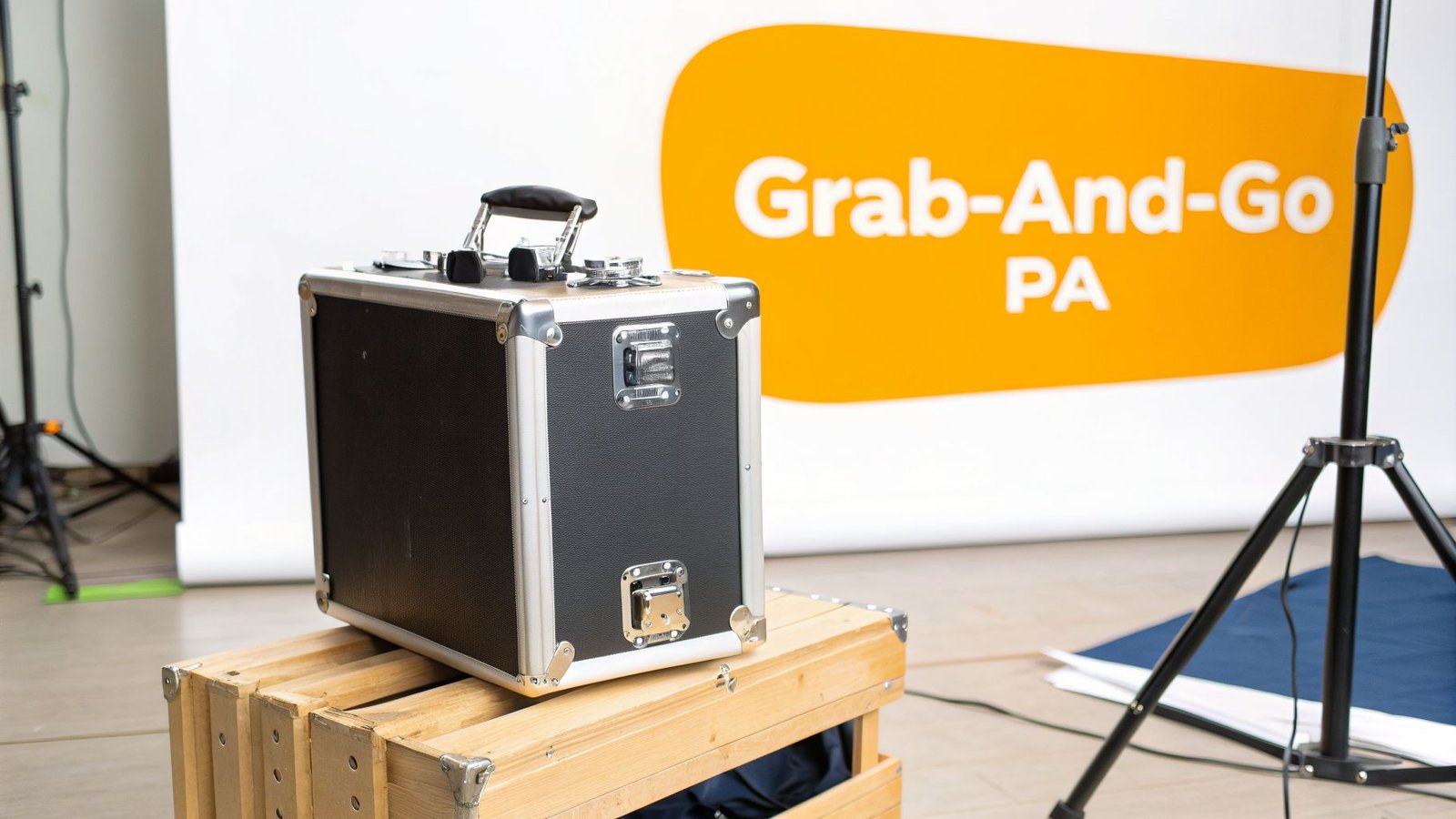
Honestly, the best way to think of the Passport 150 Pro is as the Swiss Army knife of portable audio. Its most famous feature is the "suitcase" design, where two speakers clip right onto the central mixer, creating one self-contained unit you can carry in one hand. This design alone solves the headache of juggling multiple speaker bags and a mess of tangled gear, making it the perfect tool to promote your message or music.
Who Is This System Built For?
Let's be clear: this system isn't meant for big concert halls. It shines in smaller, more intimate settings where quick setup and vocal clarity are the most important things. It was engineered for anyone needing to reach a small-to-medium-sized crowd, typically in the range of 75 to 125 people.
For instance, a teacher can easily carry it from their classroom to the gym for an assembly. They can plug in a microphone for announcements and connect a laptop to the 1/8-inch stereo input to play some music or presentation audio. The whole thing is up and running in under five minutes, making every event seamless and professional.
The real genius of the Passport 150 Pro is its simplicity. It empowers users who aren't audio experts—like educators, pastors, or small business owners—to achieve professional-sounding results without a steep learning curve.
By the same token, a solo musician playing a local coffee shop gig can arrive, pop the system open, and be ready for soundcheck in minutes. They can plug their vocal mic into one channel and an acoustic-electric guitar into another, using the dead-simple controls to get a good balance for the room. This grab-and-go reliability makes it a favorite for working performers who value efficiency and want to focus on their art, not their equipment.
Here at John Soto Music, we know that straightforward, dependable gear is what lets you connect with your audience. This system is a smart investment that pays for itself in convenience and professional sound.
Exploring the Power and Portability
To really get what makes the Passport 150 Pro special, you have to look under the hood. This isn’t about getting bogged down in tech specs; it’s about seeing how Fender’s smart design gives you that clean, clear sound in a package that won’t break your back.
The heart of this system is a 150-watt Class-D power amp. Think of it like a modern car engine—it’s smaller and more efficient, but it still packs a punch. This design gives you more than enough power to fill a small room or venue, but it gets rid of the heavy, bulky transformers found in older amps. The direct benefit? A powerful system that's incredibly easy to carry.
A Mixer Built for Simplicity
Fender designed the Passport 150 Pro's four-channel mixer to be dead simple. The goal is to get you plugged in and sounding good in minutes, not to have you fumbling with a dozen confusing knobs.
- Two Mic/Line Channels: These are your workhorses. A solo musician can plug a vocal mic into one and an acoustic-electric guitar into the other. With separate volume and tone knobs for each, you can easily tweak the mix so your vocals sit perfectly on top of the guitar.
- Two Stereo Channels: These are perfect for playing music or other audio. A presenter can connect a laptop to the 1/8-inch stereo input for a video soundtrack, while a fitness instructor can hook up a music player to the 1/4-inch stereo inputs to power their class with high-energy music.
This flexible setup means you can handle a surprising variety of gigs without ever needing a separate, more complicated mixer. It puts all the essential controls right at your fingertips, making professional sound accessible to everyone.
To give you a clearer picture, here’s a quick rundown of the technical details that deliver its incredible performance.
Fender Passport 150 Pro Technical Specifications At A Glance
| Specification | Detail |
|---|---|
| Amplifier Type | Class-D |
| Output Power | 150 Watts |
| Channels | 4 (2 Mic/Line, 2 Stereo) |
| Speakers | Two 5.25" Woofers, Two 2.75" Tweeters |
| Inputs | 2x XLR, 2x 1/4" Line, 1x Stereo 1/4", 1x Stereo 1/8" |
| Effects | Reverb (on Mic/Line channels) |
| Weight | 30 lbs (13.61 kg) |
| Dimensions | 21" (H) x 29" (W) x 11" (D) |
This table shows just how much capability Fender packed into such a lightweight system. It’s a well-balanced machine designed for real-world use.
The Power-to-Weight Advantage
The true genius of the Passport 150 Pro is how it balances genuine audio power with grab-and-go portability. The whole system—mixer, speakers, and cables—latches together into a single suitcase-style unit that weighs only 30 pounds.
The Fender Passport 150 PRO was a significant evolution in portable PA design, achieving a 3-pound weight reduction from its predecessor. This brought the total weight to about 30 pounds while maintaining a 150-watt output, offering a respectable power-to-weight ratio for audiences up to 125 people. You can learn more about the design advancements of this portable system.
For anyone who’s ever had to make multiple trips to the car just to load in for a small gig, the value here is obvious. You can carry your entire PA system in one hand, leaving the other free for your guitar case or mic stand. This isn't just a feature; it's a game-changer for performers and presenters on the go.
Alright, let's move past the spec sheet and talk about what really matters: how the Passport 150 Pro actually performs when you plug it in. Knowing the features is one thing, but getting it set up quickly for your specific gig is everything. I’m going to walk you through three common scenarios so you can see just how practical this little system is.
This diagram really nails the three pillars of the Passport 150 Pro: its solid power, straightforward mixing, and unbeatable portability.
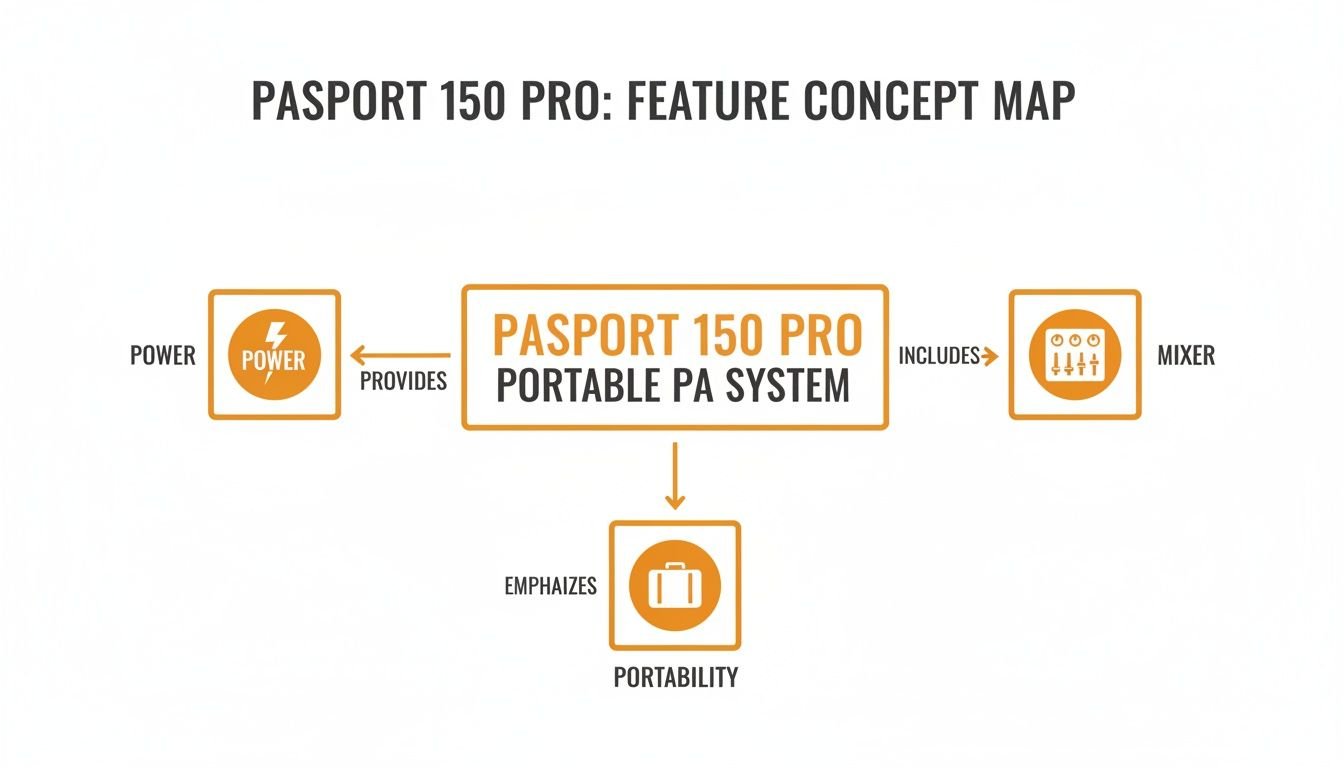
It’s not just one of these things, but how they all work together. Fender really designed this for convenience without sacrificing performance, making it an ideal choice for anyone looking to invest in reliable, hassle-free audio.
For the House of Worship
In a smaller church or fellowship hall, nothing is more important than the clarity of the spoken word. You need to make sure the pastor's message cuts through clearly, without getting lost in the music. The Passport 150 Pro makes this a simple, effective process.
- Step 1: Grab a good vocal mic, like a Shure SM58, and plug it into Channel 1 with an XLR cable. This is your primary channel.
- Step 2: Next, run a 1/4-inch instrument cable from an acoustic-electric guitar into Channel 2.
- Step 3: Now for the mix. Keep the guitar channel’s volume a bit lower than the microphone. Use the Tone knob on Channel 1 to add some presence and crispness to the vocals, making them pop. A small touch of the built-in Reverb on the vocal channel will add a professional warmth and fullness.
With this setup, you have instant control to prioritize the message. It's the perfect solution for creating an intimate and easy-to-understand experience for a congregation of up to 125 people.
For the Classroom or School Assembly
Educators need audio gear that is dead simple. It has to be something any teacher or even a student can operate without a manual, and it needs to be loud enough for a gymnasium or auditorium. The Passport 150 Pro is a fantastic choice for schools.
The beauty of the Passport 150 Pro is its "plug-and-play" nature. It removes technical barriers, allowing teachers and presenters to focus on their content, not on troubleshooting complex audio equipment.
For a typical school assembly, the setup couldn't be easier.
- Connect a Wireless Mic: Plug the receiver for a wireless handheld or lavalier mic into the XLR input on Channel 1. This gives the speaker total freedom to walk the stage.
- Add Presentation Audio: Use a standard 1/8-inch (3.5mm) aux cable to connect a laptop or tablet to the dedicated Stereo In jack. This is perfect for playing music or video clips.
- Balance the Sound: Set the volume for the microphone on Channel 1, and then just use the laptop’s own volume control for the media. This makes for a smooth, professional presentation every time.
For the Gigging Solo Musician
If you're a solo performer hitting the coffee shop circuit or playing small bars, your PA needs to be fast, reliable, and sound great right out of the box. You don't have time for a complicated soundcheck.
The Passport 150 Pro is a road warrior’s best friend. Picture this: you show up for a two-hour set. You plug your vocal mic into Channel 1 and your acoustic guitar into Channel 2. You're basically ready to go. This even leaves the stereo inputs free, so you can play some backing tracks from your phone during set breaks.
To dial in your sound, start with the Tone and Volume knobs at the 12 o’clock position and adjust from there. Add a little Reverb to your vocals for that studio polish. The entire process takes just a few minutes, so you can spend less time fiddling with gear and more time connecting with your audience. For musicians who need a rig they can count on, we at John Soto Music can help you put together the perfect portable setup that will elevate your performances.
Getting Great Sound in Under 5 Minutes
A PA system should work for you, not against you. The whole point of the Passport 150 Pro is speed and simplicity, letting you get top-notch sound without getting bogged down in technical details. This is your quick-start guide to a fast, flawless setup, so you can focus on your performance, not your gear.
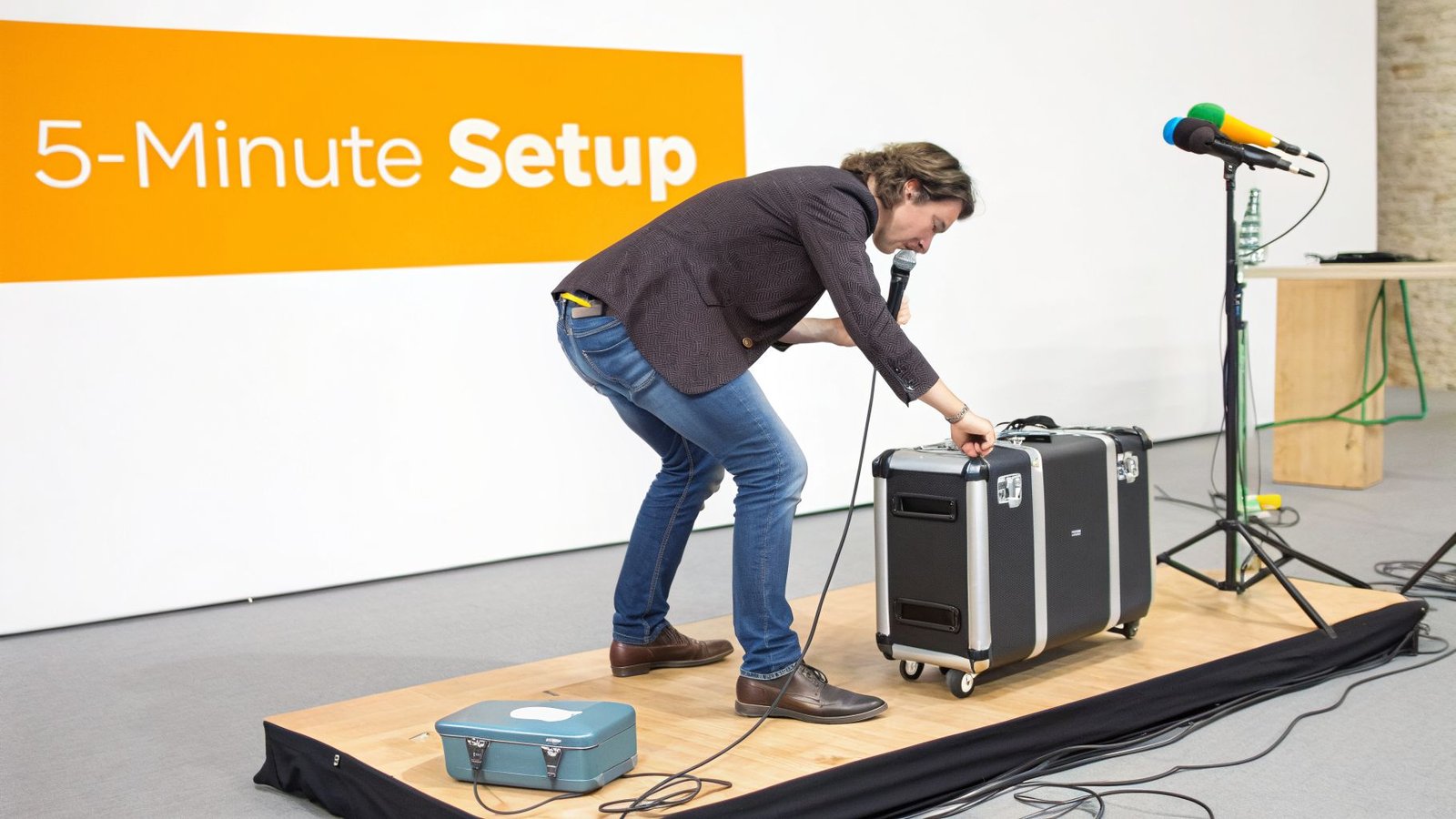
From the moment you carry it in like a suitcase to plugging in your mic, the whole process is built to be fast. Once you've done it once or twice, you'll be set up in less than five minutes, no sweat.
- Unlatch and Position: Just pop the two latches on the sides of the mixer. The speakers detach, ready to be placed wherever you need them. The system even comes with two speaker cables, tucked away in a handy storage compartment.
- Plug and Play: Run the speaker cables from the outputs on the back of the mixer to each speaker. Plug in the main power cord, and that's it. Your system is live and ready for you to plug things in.
This incredibly simple design means you spend less time fumbling with a mess of cables and more time dialing in your sound.
The Most Important Skill: Setting Your Gain
If you only learn one skill for getting clean, powerful audio, make it this one: setting your gain (or input level) correctly. This is the key to preventing distortion—that fuzzy, crackling sound—and making sure your signal is strong and clear. Think of it like the faucet on a sink; you want just enough water flow without it splashing all over the place.
Properly setting gain is the foundation of any good mix. A signal that's too weak will be noisy when you turn it up, and a signal that's too strong will clip and distort, ruining the sound quality before you even touch the volume fader.
Here’s a practical example of how to set gain for a vocal microphone.
- Step 1: Plug your mic into Channel 1. Turn the Volume and Tone knobs straight up to the 12 o’clock position.
- Step 2: Speak or sing into the microphone at the loudest you expect to be during your performance. As you do, keep an eye on the little "CLIP" LED next to the Volume knob.
- Step 3: If that light flashes red, your signal is too "hot" (too loud). Back the Volume knob down slowly until it only flickers on your absolute loudest peaks. If it never lights up at all, you can turn it up a bit more.
Getting this balance right is everything. Once your gain is set for each channel, you can forget about it and use the main Master Volume to control the overall loudness for the room. This simple trick is what separates muddy sound from a clean, professional mix.
Pro Tips for Speaker Placement
Where you put your speakers has a massive impact on sound quality. The goal is simple: cover the entire audience evenly and avoid feedback—that awful, high-pitched squeal that happens when a microphone picks up the sound from its own speaker.
For the best results with your Passport 150 Pro:
- Always place the speakers on stands. This gets the sound over the first few rows of people and helps it reach the back of the room. Aim for ear level.
- Position the speakers in front of the microphones, pointing away from them and toward the audience.
- Create a wide stereo image by placing them on either side of the stage or presentation area.
By following these simple setup steps, anyone can run their event with confidence. At John Soto Music, we believe great sound should be accessible to everyone. We offer a full range of accessories and provide the expert advice you need to build the perfect portable PA rig for your specific situation.
Recommended Accessories to Complete Your System
The Passport 150 Pro is a powerful "system-in-a-box," but it's the right accessories that transform it into a professional, gig-ready audio solution. These add-ons are the difference between just owning gear and having a complete, reliable rig that's ready for anything.
At John Soto Music, we've seen what works and what doesn't. Based on that experience, here’s the essential gear we recommend to get the absolute most out of your new Passport system and make your investment go further.
The Non-Negotiables for Any Setup
First things first: get your speakers in the air. Putting PA speakers on the floor is one of the biggest mistakes we see. A good pair of speaker stands is non-negotiable for achieving clear, professional sound. It's the only way to get the audio over the heads of the people in the front row and ensure everyone in the back can hear clearly.
We recommend a sturdy but lightweight set of stands. They perfectly match the grab-and-go nature of the Passport 150 Pro. Elevating the speakers to ear level not only improves coverage but also dramatically cuts down on the chances of getting that awful microphone feedback squeal.
Next, you need a microphone that won’t let you down.
- Vocal Microphone: The Shure SM58 is the undisputed industry standard for a reason. It’s tough as nails and delivers fantastic vocal clarity, making it the perfect choice for everything from presentations and sermons to lead vocals. Just plug it into one of the mic channels with a standard XLR cable and you're good to go.
- Instrument Cables: If you're a gigging musician, you'll need at least one high-quality 1/4-inch instrument cable for your acoustic-electric guitar or keyboard. Do yourself a favor and buy a spare—having a backup can save your gig.
A versatile and reliable audio toolkit is built one piece at a time. Starting with high-quality stands, a great microphone, and proper cables establishes a foundation of reliability that lets you focus on your performance, not your equipment.
Expanding Your Sound for More Impact
What happens when you need more low-end punch for music playback or a small band? The Passport 150 Pro is designed for excellent mid-range clarity, which is perfect for vocals and acoustic instruments. But you can easily give it that full-range body.
To get that deeper bass, simply add a compact powered subwoofer. The mixer has a dedicated "Sub Out" jack just for this purpose. Connecting a sub gives your sound the weight and impact needed for a small DJ set, an energetic youth service, or more dynamic worship music.
At John Soto Music, we don't just sell boxes; we help you build complete, working solutions. From the right stands and microphones to the specific cables you need for your gear, our experts are here to guide you. A few smart accessory choices will make your Passport 150 Pro more versatile and dependable for years to come.
Finding Your Passport 150 Pro or a Modern Alternative
The Passport 150 Pro is a legendary piece of gear, and for good reason. It’s known far and wide for its simple, briefcase-style design and absolutely reliable performance. But if you've been searching for one, you’ve probably hit a wall: it's been discontinued. So, what does that mean if you’re trying to get your hands on one today?
First, don't worry. In the world of great audio gear, "discontinued" definitely doesn't mean "unobtainable." In fact, the way this system has held its value on the used market is a powerful testament to its durability. It’s still a fantastic investment.
Looking at the numbers, you can see how strong the demand has remained. After being dropped from major retailers around 2016, used units were still commanding an average of $320. This tells you a lot about the trust that churches, schools, and gigging performers put in this system, years after its initial run which started back in 2014. You can dig into the product's long market lifecycle and pricing history to see for yourself.
Your Best Path to Great Portable Sound
Whether you have your heart set on this classic system or you're curious about the latest tech, we at John Soto Music are here to help you get the right gear.
- Finding a Used Passport 150 Pro: Our team can help source a quality-checked used model. We take the guesswork out of buying secondhand, ensuring you get a reliable unit that’s ready for your next gig or service right out of the box.
- Exploring Modern Alternatives: We also carry the next generation of portable PA systems from top-tier brands like RCF and dBTechnologies. These systems offer the latest advancements in sound quality and features, giving you a brand-new option with that same grab-and-go spirit.
Buying from John Soto Music is more than just a transaction. You get personalized advice from live sound specialists who actually use this gear, free shipping on your order, and our dedicated support to help you get the most out of your purchase.
Ultimately, our goal is to match you with the perfect portable PA for your specific needs. Whether it's the trusted Passport 150 Pro or a modern powerhouse, we’ll guide you to a solution that delivers clear, dependable sound for years to come.
Got Questions About the Fender Passport 150 Pro?
If you're wondering about the Passport 150 Pro, you're in the right place. We get a lot of questions about this little workhorse, so I've put together some straight answers based on our experience to help you figure out if it’s the right fit for what you do.
How Many People Can This System Realistically Cover?
The Passport 150 Pro is built for small-to-medium crowds. Think classrooms, coffee shops, or smaller church gatherings. In those kinds of indoor spaces, it’ll comfortably handle an audience of 75 to 125 people with clear, understandable sound.
Picture this: you're a singer-songwriter playing a Friday night set at a local cafe. The Passport has more than enough juice to lift your vocals and acoustic guitar over the chatter and the hiss of the espresso machine. For outdoor gigs, its reach depends on the space, but for an intimate backyard concert or a small park gathering, it's a great choice.
Can I Hook Up My Phone or Laptop?
Absolutely, and it couldn't be easier. The mixer has a dedicated stereo channel with a 1/8-inch (3.5mm) input. That’s the same size as a standard headphone jack, so you can plug in your phone, tablet, or laptop without any special adapters.
It's a true plug-and-play setup. For example, a fitness instructor can plug their phone directly into this jack to play their workout playlist, while a corporate presenter can run an aux cord from their laptop to play walk-in music or the audio from a video clip. No fuss, no complicated setup. It just works.
One thing to be clear about: the Passport 150 Pro is not meant to be a full band's main PA system. With only two microphone inputs, it's perfect for solo acts, duos, and public speakers.
If you need to mic up a drum kit, multiple guitar amps, and a handful of singers, you're going to need a bigger system. For a full band, we at John Soto Music would point you toward a proper multi-channel digital mixer and a more powerful set of speakers designed to handle that kind of volume and complexity.
Ready to build the right portable sound system for your needs? The team here at John Soto Music can help. We offer real-world advice from live sound specialists, plus free shipping and dedicated support to get you the right solution—whether it's a classic like the Passport or the latest gear. Find your perfect fit at https://www.johnsotomusic.com.