

Have you ever seen a singer pull out one of their in-ear monitors mid-song? Or a drummer who just can't seem to lock in with the rest of the band, no matter how hard they try? Often, the culprit isn't a lack of skill—it's audio latency.
In the world of live sound, latency is the small but perceptible delay between a sound being created and when it’s heard. It’s the time it takes for a signal to travel from a microphone, through a digital mixer and all its processing, and finally out to a speaker or a performer's ears. This delay can make performing feel unnatural and frustrating, but the right gear can make it disappear.
What Is Audio Latency, Really?
Think of latency as the time tax you pay for every step in a digital audio chain. Every time the sound has to be converted from analog to digital (A/D), processed, or sent back out and converted from digital to analog (D/A), a tiny bit of time is added to its journey. While a single piece of gear might only add a few milliseconds (ms), these delays stack up.
This delay can be absolutely maddening for a performer. For a vocalist using in-ear monitors (IEMs), a high-latency signal creates a bizarre "doubling" effect against the sound of their own voice resonating in their head. It can throw off their pitch and timing, making it feel like they're singing through mud.
Why Managing Latency Is So Critical
Getting a handle on audio latency is one of the first big steps toward achieving a professional, polished sound. When performers can hear themselves accurately and instantly, they play and sing with more confidence and precision. This is why investing in modern digital mixers and wireless systems built for low latency isn't a luxury—it's a core requirement for any serious live production, especially in churches, schools, and performance venues.
There's no single magic number, but for most monitoring applications, the goal is to keep the total "round-trip" latency under 10-12ms. Any lower is better, but this is the threshold where the delay starts to feel truly "instant" to the human ear.
To give you a practical starting point, we've put together a quick guide on acceptable latency for the most common live sound scenarios you'll face.
Audio Latency Quick Reference Guide
This table breaks down the acceptable latency ranges for different live sound applications. Use it as a benchmark when designing or troubleshooting your system. Notice how the tolerance for delay gets much stricter as the sound source gets closer to the performer's own ears.
| Application | Acceptable Latency (ms) | Why It Matters |
|---|---|---|
| Front of House (FOH) | < 20-30 ms | The audience is far from the stage, so the natural delay of sound traveling through air makes mixer latency less critical. |
| Wedge Monitors | < 10-12 ms | High latency here causes a noticeable "slapback" delay that can disrupt a musician's timing. |
| In-Ear Monitors (IEMs) | < 7-8 ms | This is the most critical. Any higher can cause comb filtering and make it very difficult for vocalists to stay on pitch. |
Understanding these targets is crucial. A system with 20ms of latency might be perfectly fine for the main speakers, but it would be practically unusable for a vocalist's in-ear monitors. Matching the right gear to the right application is key.
Where Latency Comes From in a Digital System
Think of your sound signal as a package that needs to make several stops on its way from the stage to the speakers. It's not an instant trip. At every stop along this digital highway, a tiny bit of time is added to the delivery. All those little delays add up to the total latency you hear—or, hopefully, don't hear.
The journey starts the instant a microphone picks up a sound. That analog signal has to get onto the digital highway, and the on-ramp is the Analog-to-Digital Converter (A/D Converter). This conversion process itself isn't instant; it takes a small but measurable amount of time, usually around 0.5 to 1.5ms.
Processing and Buffering: The Digital Waiting Line
Once your audio is digitized, it doesn't just zip through the mixer. To keep the sound smooth and prevent any nasty glitches or dropouts, the system collects the audio into small packets called buffers. Imagine a buffer as a waiting line for data. A longer line is safer because it gives the processor a cushion if it gets busy, but it also means a longer wait for your audio.
This is almost always the single biggest source of latency in any digital audio system. If you increase the buffer size, you increase the latency. If you make it smaller, you speed things up but risk pops and crackles if the processor can't keep up. For example, a buffer size of 256 samples at a 48kHz sample rate will add 5.3ms of delay all by itself. Getting this setting right is a critical balancing act between system stability and speed.
This simple diagram shows how that delay gets inserted between the original sound and what the listener eventually hears.
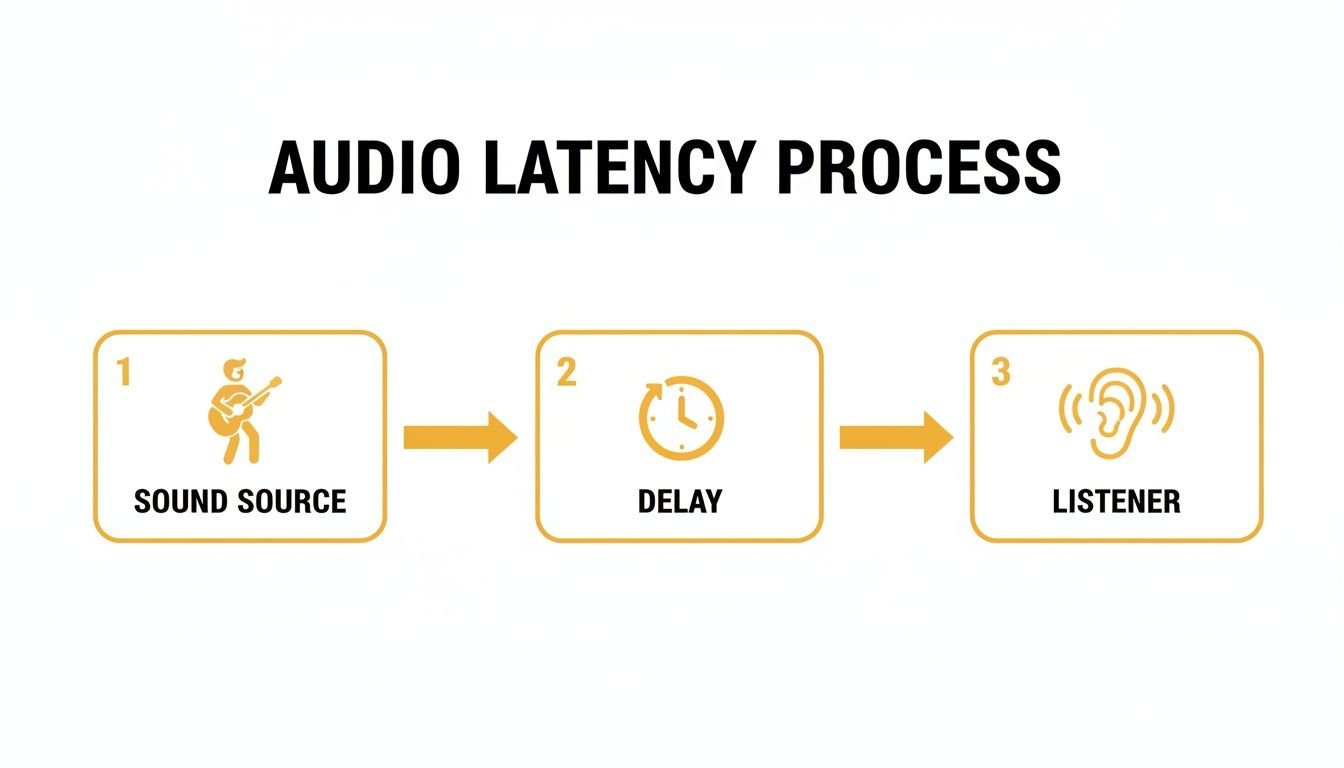
The key takeaway is that every piece of digital gear in your signal path introduces some amount of delay. It's an unavoidable part of how digital audio works.
The Return Trip: Digital-to-Analog Conversion
After your mixer has worked its magic with EQ, compression, and effects, the audio needs to get back into the real world so we can hear it. This "off-ramp" is the Digital-to-Analog Converter (D/A Converter), which sends the final signal out to your speakers or in-ear monitors. Just like the A/D conversion on the way in, this step adds another small delay.
But that's not the end of it. Other parts of your system pile on their own delays:
- Wireless Systems: Digital wireless mics and in-ear monitor (IEM) systems have their own tiny audio converters and processors built-in. This internal journey typically adds anywhere from 2ms to 6ms of latency.
- Networked Audio: Using systems like Dante or AVB to send audio over Ethernet is incredibly powerful, but it does add a tiny bit of network delay. On a well-designed network, this is usually negligible—often 1ms or less.
Be aware that the numbers on the box don't always tell the whole story. The theoretical latency might look great, but real-world performance can be different. For instance, in some tests, a system with a 128-sample buffer had a theoretical latency of 2.9ms. But when measured, the actual round-trip delay was between 10.3ms to 15.5ms because of other system factors.
All these milliseconds stack up. A singer's voice might go through A/D conversion at the mixer, get processed (buffer latency), get sent to a wireless IEM transmitter (more conversion and processing latency), and finally get converted back to analog at the receiver pack. This is exactly why investing in a modern, low-latency mixer like an Allen & Heath SQ or Midas M32 is so important—they are engineered from the ground up to keep every one of these delays as short as humanly possible.
How Musicians Actually Hear and Feel Latency
Latency is more than just a number on a spec sheet—for a musician, it’s a physical feeling that can completely throw off a performance. The connection between what a musician plays and what they hear needs to be instant. When a noticeable delay creeps in, it creates a frustrating, unnatural disconnect that can derail everything.
Imagine a guitarist picking a string and feeling a strange “sponginess” in their sound, as if the amp is always one step behind them. For a drummer, that tiny delay makes it feel like they’re dragging behind the beat. In a desperate attempt to catch up, they start rushing the tempo, fighting against a sound that’s constantly late.
The Vocalist's Nightmare: Comb Filtering
Vocalists using in-ear monitors (IEMs) get a special kind of problem that can be completely disorienting. They hear their own voice from two different sources at the same time:
- Internally: Through bone conduction—the sound vibrating through their skull to their inner ear. This signal is instantaneous.
- Externally: Through their IEMs, which contains the small delay from the digital signal path.
When the live, internal sound combines with the slightly delayed monitor signal, it creates a bizarre, hollow, and phasey effect called comb filtering. This makes it incredibly difficult for singers to trust their own pitch or dynamics, often leading to a hesitant performance that’s noticeably off-key.
Understanding the human element of audio latency is the key to setting up a monitor mix that helps musicians perform their best, not fight their gear. Even a few milliseconds can be a minor annoyance for one player but a deal-breaker for another.
How Much Delay Is Too Much?
So, where is the breaking point? The answer depends on the musician and their instrument. Drummers and other percussionists are usually the first to notice. Research from the Audio Engineering Society found that for drummers on wedge monitors, a latency of 12ms is still considered "good."
However, that tolerance changes. Keyboard players, for example, might not notice a delay until it reaches as high as 43ms. You can dive deeper into these instrument-specific thresholds in the full AES paper.
Ultimately, keeping latency low is about building trust. When a musician hits a note, the sound they hear back needs to feel immediate and directly connected to their physical action. Modern digital mixers from brands like Allen & Heath are engineered from the ground up for ultra-low latency, ensuring the technology stays out of the way and lets the music shine.
Practical Steps to Reduce Audio Latency
Knowing what latency is and actually fighting it are two different things. This is where you can truly transform your live sound from passable to professional. Thankfully, you don’t need a computer science degree to make a huge difference. Most modern digital mixers and audio interfaces put the most important controls right at your fingertips.
Your most powerful weapon in this fight is the buffer size. Think of the buffer as the "workload" your mixer's processor tackles at one time. A larger buffer gives the processor a nice, relaxed pace, making the system super stable but adding noticeable delay. A smaller buffer makes the processor work faster, cutting down latency but increasing the risk of pops and clicks if it can't keep up.
For instance, on a typical digital mixer, setting the buffer to 256 samples at a 48kHz sample rate adds 5.3ms of latency. By cutting that buffer in half to 128 samples, the latency drops to just 2.7ms. A vocalist on in-ear monitors will absolutely feel that improvement. Your goal is to find the sweet spot—the lowest possible buffer setting your system can handle without any audio glitches.
Optimize Your Mixer and Driver Settings
Beyond the buffer size, there are a few other knobs you can turn to shave off precious milliseconds. Each one chips away at the total round-trip latency, getting your performers closer to that "instant" connection they need.
Choose the Right Drivers: When you connect a mixer to a computer for recording, always use the dedicated ASIO (for Windows) or Core Audio (for Mac) drivers from the manufacturer. The generic audio drivers that come with your operating system are built for general use and stability, not for the high-speed performance required for live audio. They will add a ton of unnecessary delay.
Increase the Sample Rate: Bumping up your sample rate to 96kHz essentially forces the buffer to be processed twice as fast as it would be at 48kHz. This simple change can cut your buffer-related latency in half. The trade-off is that it almost doubles the workload on your mixer, so this is best reserved for powerful consoles like the Allen & Heath SQ series, which are engineered from the ground up to run flawlessly at 96kHz.
Use Direct Monitoring: This is a lifesaver for recording. Many mixers and interfaces, including the compact and powerful Allen & Heath CQ series, have a "Direct Monitoring" feature. It sends the input signal straight to the headphones before it even makes the round trip to the computer, giving the performer a true zero-latency monitor feed.
Quick Latency Checklist for Your Setup
Feeling a little overwhelmed? Don't be. Here's a quick checklist you can run through at your church, school, or next gig to knock out the most common sources of latency.
- Check Buffer Size: Is it as low as you can get it without hearing clicks or pops? Start at 256 and try stepping down to 128 or even 64 if your system is stable.
- Verify Drivers: Are you absolutely sure you're using the official ASIO or Core Audio driver for your interface? Double-check this in your software's audio settings.
- Bypass Unnecessary Plugins: Are you running any processor-hungry effects plugins, especially on your monitor channels? Turn them off and see if it helps.
- Engage Direct Monitoring: If you're recording overdubs, is this feature turned on? It’s the easiest win for a performer’s headphone mix.
While tweaking settings is effective, sometimes the hardware itself is the limiting factor. Older or entry-level digital equipment may simply have higher inherent latency that cannot be optimized away.
If you’ve gone through this checklist and still feel a frustrating delay, it might be time to look at the gear itself. Modern consoles like the Midas M32 are famous for their incredibly low internal latency—often under 1ms from input to output. Investing in equipment that was engineered for speed is the most permanent fix for the problem of audio latency.
All the theory in the world is one thing, but hearing about how latency messes with real people—that’s what makes the concept click. The right gear isn’t just a list of specs on a page; it's about fixing real problems for performers who need to hear themselves to do their best work. Let's look at a couple of common situations where a little knowledge about latency makes a world of difference.
The Worship Team's IEM Nightmare
Picture this: a church worship team is struggling every single Sunday. The singers keep complaining about a weird, distracting echo in their in-ear monitors (IEMs) that makes it incredibly hard to sing in tune. Meanwhile, the drummer feels like they’re playing in quicksand, constantly fighting the tiny but maddening gap between hitting the drum and hearing it in their ears. This is a classic, textbook case of high system latency in action.
When we dug in, we found their older digital mixer and first-generation wireless IEM system were adding up to over 15ms of total delay. For the vocalists, hearing their own voice that late created severe comb filtering, which completely threw off their pitch. The fix was a serious upgrade to a modern console like the Midas M32 LIVE, which has an astonishingly low internal latency of just 0.8ms.
By swapping out the heart of their system, the team instantly got rid of the single biggest source of delay. That new console brought back clarity and confidence to their performance, proving that low-latency gear is a direct investment in your team's ability to lead worship well.
The School Band's Recording Session
In another scenario, a high school band director was trying to record his jazz ensemble for the first time. The students, who were new to the recording process, were getting totally frustrated because their headphone mix felt "off." Every single note they played came back to them a split second too late, making it impossible to lay down the tight, in-the-pocket tracks the director was after. The culprit was the "round-trip" latency—the time it took for the audio to go into the computer, get processed, and come back out to their headphones.
The fix was surprisingly simple. We just had to use the direct monitoring feature on their Allen & Heath Qu-16 mixer. This fantastic function splits the live input signal and sends it straight to the headphones before it ever makes the trip to the recording software. This gave the students a true zero-latency monitor mix, letting them hear themselves instantly while the computer happily recorded everything in the background.
Pairing that with a full system of quality components, like a great RCF PA system and professional wireless microphones, ensures you have a solid, low-latency signal chain from the performer all the way to the audience. It just goes to show that the right gear isn't just a one-off purchase—it’s a complete system that helps musicians and educators get professional results without having to fight their technology.
Frequently Asked Questions About Audio Latency
Let's clear up a few common questions we get all the time. When you're trying to wrap your head around latency, these are the things that often cause the most confusion.
Does A Higher Sample Rate Always Mean Lower Latency?
Yes, in a very direct way. Switching your mixer to a higher sample rate like 96kHz can instantly cut down your latency. Think of it like this: the audio samples are being processed much faster, so a buffer of any given size gets emptied out in half the time it would take at 48kHz. It's a simple change that can make a real difference.
But there's a trade-off. Running at 96kHz nearly doubles the processing power required from your mixer. It's only a realistic option if your console has the horsepower to handle that extra load without glitching or crashing. This is exactly why modern mixers like the Allen & Heath SQ Series have become so popular in churches and venues; they were built from the ground up to run at 96kHz flawlessly, delivering that ultra-low latency performance.
Is Latency A Problem With Analog Mixers?
Not at all. A purely analog signal path has effectively zero latency. The audio is just electricity flowing through wires and components at nearly the speed of light. Latency is a problem that only exists in the digital world, introduced the moment a signal goes through an analog-to-digital (A/D) or digital-to-analog (D/A) converter.
While analog gear has that immediacy, the lack of modern features, recall, and processing is a huge limitation. The great news is that today's top-tier digital consoles from brands like Midas and Allen & Heath have gotten so fast that their total latency is often under 2-3ms. For almost any live sound application, that's completely imperceptible to the human ear.
How Much Latency Do Wireless In-Ear Systems Add?
This one varies quite a bit depending on the specific system you're using. A true analog wireless IEM system adds almost no latency—typically less than 1ms, which is nothing. The challenge is that professional digital wireless systems, which give you far better audio quality and much more reliable performance, have their own digital processing inside.
That internal conversion and processing adds its own delay. You can usually expect anywhere from 2ms to 6ms of latency, depending on the make and model. It's absolutely critical that you add this number to your mixer's latency to get the true total delay your performers are hearing in their ears. When you're fighting to keep that total under 10ms, investing in a quality, low-latency digital wireless system becomes non-negotiable.
At John Soto Music, we specialize in helping churches, schools, and performers build reliable, great-sounding live audio systems. From ultra-low latency digital mixers to professional wireless IEMs, we have the gear and expertise to solve your latency issues for good. Explore our curated selection of road-ready equipment at https://www.johnsotomusic.com.